




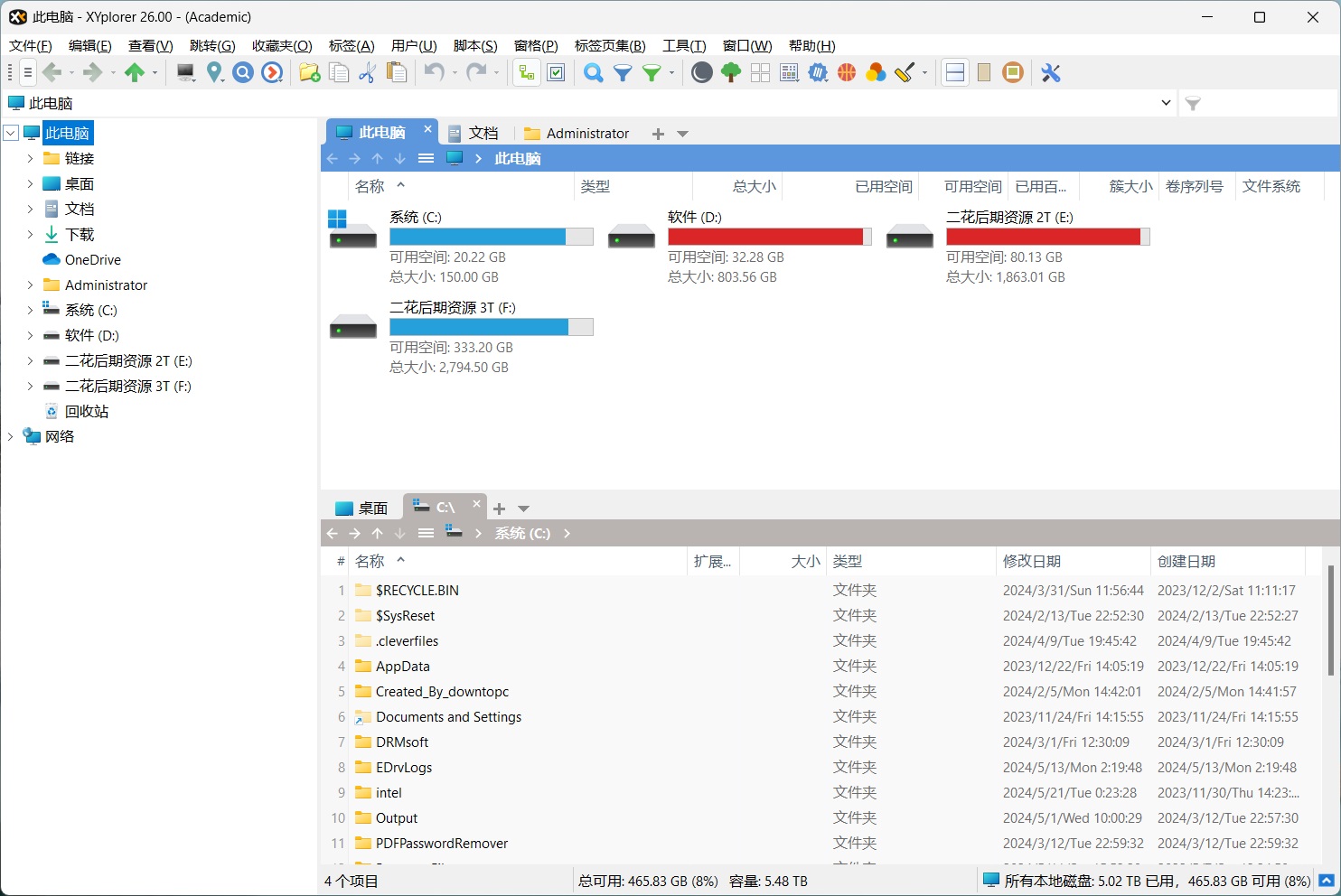












XYplorer is a powerful multi-tab file management software for PC. Through its dual-pane design, it supports browser-like multi-tab switching, greatly improving file browsing efficiency. This means you can easily switch between multiple folders and quickly complete operations such as copy, paste, and delete, making it an indispensable efficient work tool on PC.

Smooth user experience
XYplorer optimizes the user's browsing experience. Whether switching windows or scrolling through content, it is very smooth. The tabbed design lets you quickly open and switch between multiple windows, especially when handling multiple folders, making routine operations like copy and paste convenient. For new users, this browser-like interface design is easy to get started with and can quickly improve work efficiency.
Portable file management
Another major advantage of XYplorer is that it requires no installation. You can store it on a USB drive or other portable device and carry it with you, using it anytime and anywhere. Even better, XYplorer uses very few system resources, with a program size of only 7MB, extremely fast startup, and no modifications to the system registry. This design makes it a truly convenient, lightweight file management tool.
Rich feature support
In addition to efficient file management, XYplorer also supports random playback of media files such as images, audio, and video. At the same time, you can drag, hide, lock, and rename files. For users who frequently handle office documents and emails, XYplorer supports previewing Office files, PDFs, and email files (such as EML and MSG), improving the convenience of document management.
Set the Chinese Interface
If you need to set XYplorer to a Chinese interface, just follow these simple steps: Menu -> Help -> Select Language.
Summary
XYplorer is a powerful and easy-to-use multi-tab file manager. Its portability, multi-tab design, and lightweight handling of the system make it an essential tool for improving office efficiency. If you're looking for an efficient and convenient file management solution, XYplorer is worth a try.










