
















You've probably run into this too
\ \You download a movie or tutorial, double-click, and the player says 'cannot render this file' — or you get audio but no picture. Or it finally opens but stutters, with audio out of sync with lips. Want a thumbnail? The folder shows just a white icon. Install a codec, and now other players break. At root, all these problems stem from missing proper decoding components.
\ \What exactly is this software for?
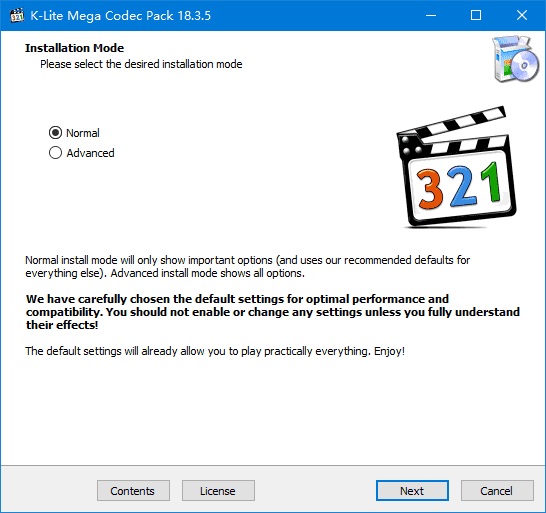
\ \Think of K-Lite Codec Pack as a 'universal translation pack' for PC video. It bundles nearly all video/audio decoding components; once installed, your PC recognizes and plays most media formats. It also uses GPU hardware acceleration, so low-spec PCs play 4K smoothly and various playback glitches are fixed. Whatever player you use, compatibility improves after installing it.
\ \What can you do with it? These use cases are practical
\ \① solvedecidehow manyatplacehastargetvideoformatwithoutmethodplaybackquestions
\ \After installing K-Lite, mainstream MKV, MP4, AVI, FLV, MOV and even more obscure formats play fine. It covers H.264, H.265, VP9 video codecs and MP3, FLAC, AAC, APE audio codecs. Whether using Windows Media Player, PotPlayer or other players, format compatibility improves greatly.
\ \② lowmatchcomputeralsocanflowsmoothbroadcast4Kvideo
\ \supportGPU hardware decoding,canadjustuseyoutarget显卡comeminute担videodecodingtargetwork。pairat4Khighclear、high帧rateor-erHDRvideo,itcan显著降lowCPU占userate,effectiveavoidexemptplayback卡顿、闪退andpictureface撕裂targetquestions。thispairmatchhandlenothightargetcomputercomesayverysoliduse。
\ \③ frommoverepairrepeatplayback故barrierand显show缩略picture
\ \It auto-detects corrupted or conflicting decoder components, cleans filters that cause playback crashes, and fixes audio-video sync, no-sound, glitch and black-screen issues. After install, all video files in your folders show cover thumbnails — no need to open each to see content. Subtitle rendering is fine; SRT, ASS and more display correctly.
\ \Who will find it easiest to use?
\ \likeresultyouclassicnormalincomputerpart 1seecopylandvideo、追剧、seeelectricphoto,or-erusecomputerdoVideo editingneedeachtypeformatsupport,K-Litehow manyatismustpreparetargettools。italsorelativelysuitable forcomputermatchhandlenot太highagainwant toflowsmoothseehighclearvideotargetusedoor。installexperiencedjourneycanselectionbasicsversionorcompleteversion,daily useselectbasicsversionthenenough,not占太manyskybetween,alsonohasadsor捆绑software。
\ \A quick summary
\ \\ \ \ \ \ \K-Lite Codec Pack is a great fix for video playback compatibility on Windows — small, ad-free, broad format coverage. If your PC often can't open videos or stutters, installing it basically solves it.










