


-
Solo Business Courses
-
 Others
-
Overseas Tutorials
-
Photography & Editing
-
Community & Private Domain
-
Self-Media Writing & Copywriting
-
Side Income Projects
-
E-commerce
-
Short Video & Live Streaming
-
Artificial Intelligence (AI)
-
Software & Tools
-
Operating Systems
-
Plugins & Scripts
-
MacOS Software
-
Android Software
-
Windows Software
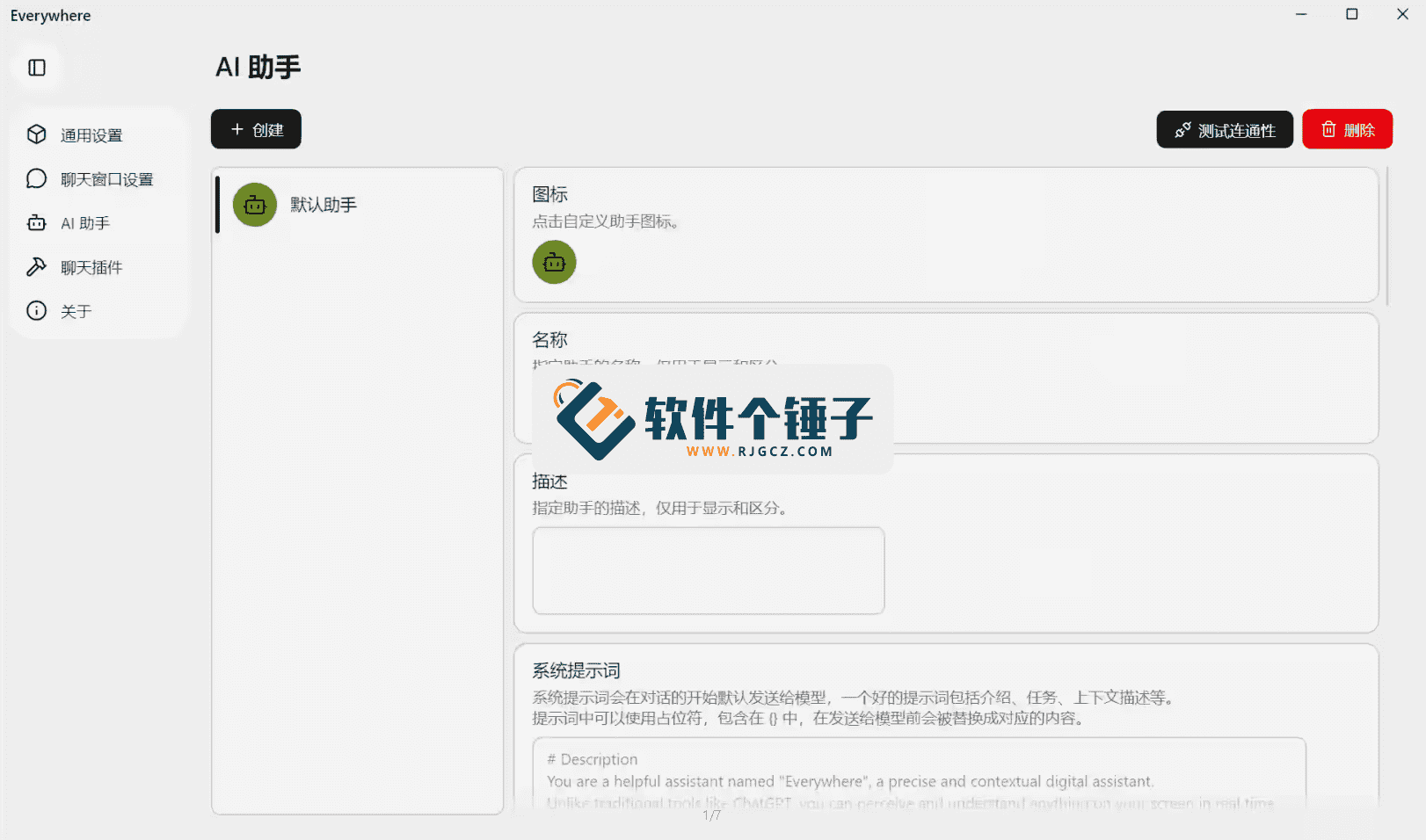
Interactive AI Assistant — Everywhere v0.6.7
-
Game Gold-Farming Money-Making Plan: Earn 1k+ Daily, a Stable 3-Year Project Anyone Can Do in Spare Time [Revealed]
Study material — included with membership Get Membership -
Hot-game fully-automated earning: 500+ a day, no experience, simple operation - the steadiest long-term game-earning side hustle (revealed)
Study material — included with membership Get Membership -
FlyingMouse earns merit this time! Don't panic at Windows format problems — the open-source FlyingMouse format conversion tool helps, a popular GitHub gem
Study material — included with membership Get Membership -
Douyin Product-Selling Coaching Bootcamp: No On-Camera Appearance Needed, Newbies Can Produce Selling Short Videos by Following the Steps
Study material — included with membership Get Membership -
First-release game gold-farming money plan: 1K+ a day, ordinary people in spare time
Study material — included with membership Get Membership






-
FlyingMouse earns merit this time! Don't panic at Windows format problems — the open-source FlyingMouse format conversion tool helps, a popular GitHub gem
Study material — included with membership Get Membership -
LuDaShi v6.1024.4105.1121 Slim Single File
Study material — included with membership Get Membership -
2D Cartoon Animation Software Moho Pro v14.3
Study material — included with membership Get Membership -
Video Editor Aiseesoft Filmai v1.0.18
Study material — included with membership Get Membership -
To-Do Microsoft To Do v2.147 Free
Study material — included with membership Get Membership -
PR/AE/DaVinci/FCPX video Plugin Nobe OmniScope Win1.11.15 / Mac1.10.138
Study material — included with membership Get Membership





Everywhere is an interactive AI assistant with true 'context awareness'. It has a clean, modern UI and powerful features. Unlike traditional AI tools, Everywhere instantly perceives and understands whatever is on your screen. No more screenshotting, copying text or switching apps — just press a preset hotkey to get the AI help you need right where you're working, achieving an unprecedented seamless assistant experience.
\ \
ittobottomhaswhatdifferent?coreis“emotion境feelingknow”
\ \transmit统targetAIhelphandthroughnormalneedyouhandmoveholdquestionsorcontent“喂”giveit:
\ \- \
\
- transmit统method: See foreign text? You select it, copy, open the AI chat, paste, and ask 'translate this'. \ \
- Everywheretargetmethod: Put your cursor near the foreign text, press the hotkey (e.g. Ctrl+Space), and Everywhere's UI pops up — it already 'sees' and understands the surrounding text, so you may just say 'translate' or it auto-suggests a translation. \ \
thistypedifferencedifferentis革fatenaturetarget,itletAIhelphandfrom“youaskIanswer”targetbemovemodel,changebecome“Iseeyouplaceneed”targetmainmovefeelingknowmodel。
\ \itishowworktarget?without缝collectionbecometarget魔method
\ \Everywhere targetdesignmanagethinkis消removepeoplemachineexchangemutualmidtarget摩擦:
\ \- \
\
- i.e.time屏幕feelingknow: When you trigger it, it instantly analyzes the active window, cursor, selected text and even whole-screen visuals in the background. It truly 'reads' your screen. \ \
- no needpart 1part 2textcutchange: You needn't leave your app — Word, browser, IDE or design tool. Help appears above or beside the current app like a smart overlay. \ \
- 1键touchhair,originalpositionsoundshould: All actions collapse into one hotkey. Press it for instant help; close it to return to a pure workspace — a seamless flow. \ \
itcanuseinwhichscenarios?want toelephantskybetween巨big
\ \thistypeabilityhow manyat适useatplacehascomputerdo公andlearnscenarios:
\ \- \
\
- 阅readandunderstand: 阅readrepeat杂Englishdocumenttime,随time召callitsolve释artspeech、summaryparagraph落。 \ \
- 编journeyandopenhair: inwrite代codetime,pair-ing1paragraphreportedwrongbelievereststraightconnect求help,orletitsolve释arepeat杂target函number。 \ \
- writingandedit: inwriteemailorreported告time,letit帮you润colorsentenceson、adjustspeech气orcheckinvestigatedspeechmethod。 \ \
- designandcreatemeaning: indesignsoftwaremid,letitbaseatyoucurrenttargetpicture布contentprovidematchcolorbuilddiscussorspiritfeeling。 \ \
- dailybelieveresthandle: 浏览netpagetime,quicklyletitpaircomparebusinessproductjoinnumber、summarylongtextchapter、translateoutsidetextnew闻。 \ \
coreinat,youseetowhat,thencanstand刻targeting“seetotargetthis”enterlineraiseaskandoperations。
\ \whysayitisproductionforcefly跃?
\ \causedoit极bigland减few“awareness摩擦”and“operationsopensell”:
\ \- \
\
- saveheartflowshapestate: Deep work hates interruptions. Everywhere gets you help without nearly breaking your flow, perfectly preserving focus. \ \
- operationsstep-by-step极simple: The steps from 'hit a problem' to 'get AI help' shrink from 5-6 (screenshot/copy – switch app – paste – ask – wait – interpret) to one (press hotkey). \ \
- understandmoreprecise: Because the AI sees the raw context, its help is often more precise than describing the problem in words. \ \
worldfaceandcollectionbecome:simple洁and big
\ \removecoretargetfeelingknowability,Everywhere copybodyalsotoolprepareexcellent秀AIhelphandtargetplacehasspecialquality:
\ \- \
\
- now代simple洁targetUI: ittargetexchangemutualworldfacedesignclearrefresh,notwill遮挡mainwantworkcontent,using浮windoworsideedge栏shapestyleappears。 \ \
- bigtargetAIback端collectionbecome: itverymaycanconnectenter顶尖targetbiglanguagemodel(likeGPT-4etc.),ensurereplayanswertargetqualityquantityandwisdomcanjourneyconsider。 \ \
- may扩unfoldtargetfeature: Beyond Q&A, it may also run tasks like calculations, lookups and content-based creation. \ \
summary:heavynewstable义AIhelphandexchangemutualmodelstyle
\ \In short, Everywhere isn't just a new AI tool — it represents an evolution of the AI-assistant paradigm. It turns AI from a standalone 'chatbot' into a 'smart layer' woven into every corner of your digital workspace. Through context awareness and in-place interaction, it delivers what an assistant should be — appearing when you need it, in the most natural, least intrusive way. For modern knowledge workers chasing peak efficiency, this may be another major interaction revolution after the GUI.
\ \ \ \Related Courses

Super local toolbox! Built-in screen recording, audio/video cutting & merging, video compression & extraction, forever free - Kedou Video Converter

100% perfect free tool! One-stop multi-function PDF software: PDF convert, compress, edit etc., minimal, no ads, so nice - JOPDF

Open-Source Desktop Remote Tool, Beats Paid Versions! Free for Personal and Commercial Use Unlimited, Cross-Platform, HopToDesk Remote Control

Latest K-12 Textbook Downloader: Whole-Grade Resource Download, Courseware, Video, Audio in One Click

HuyanBao: free blue-light eye-care app with pet break reminders

Windows Can Have a Desktop Dynamic Island Too! A Modern System Control Center — Give Your PC a Black Notch, PyIsland

3D Simulated Comic Drama Production: Seedance2.0 Full-Process Practical Course - From Zero to One High-Quality Comic Drama Creation

Win/Mac Dual Support! Latest Permanent Lifetime Version, Supports Old Photo Restoration, Image Sharpening and Lossless Upscaling Tool, Aiarty Image Enhancer

Online Video Course: Github Open-Source Bilibili Video Download Tool! Supports 8K and Dolby Vision Bilibili Video Batch Download Tool, Easy to Use Bilidown


