


-
Solo Business Courses
-
 Others
-
Overseas Tutorials
-
Photography & Editing
-
Community & Private Domain
-
Self-Media Writing & Copywriting
-
Side Income Projects
-
E-commerce
-
Short Video & Live Streaming
-
Artificial Intelligence (AI)
-
Software & Tools
-
Operating Systems
-
Plugins & Scripts
-
MacOS Software
-
Android Software
-
Windows Software
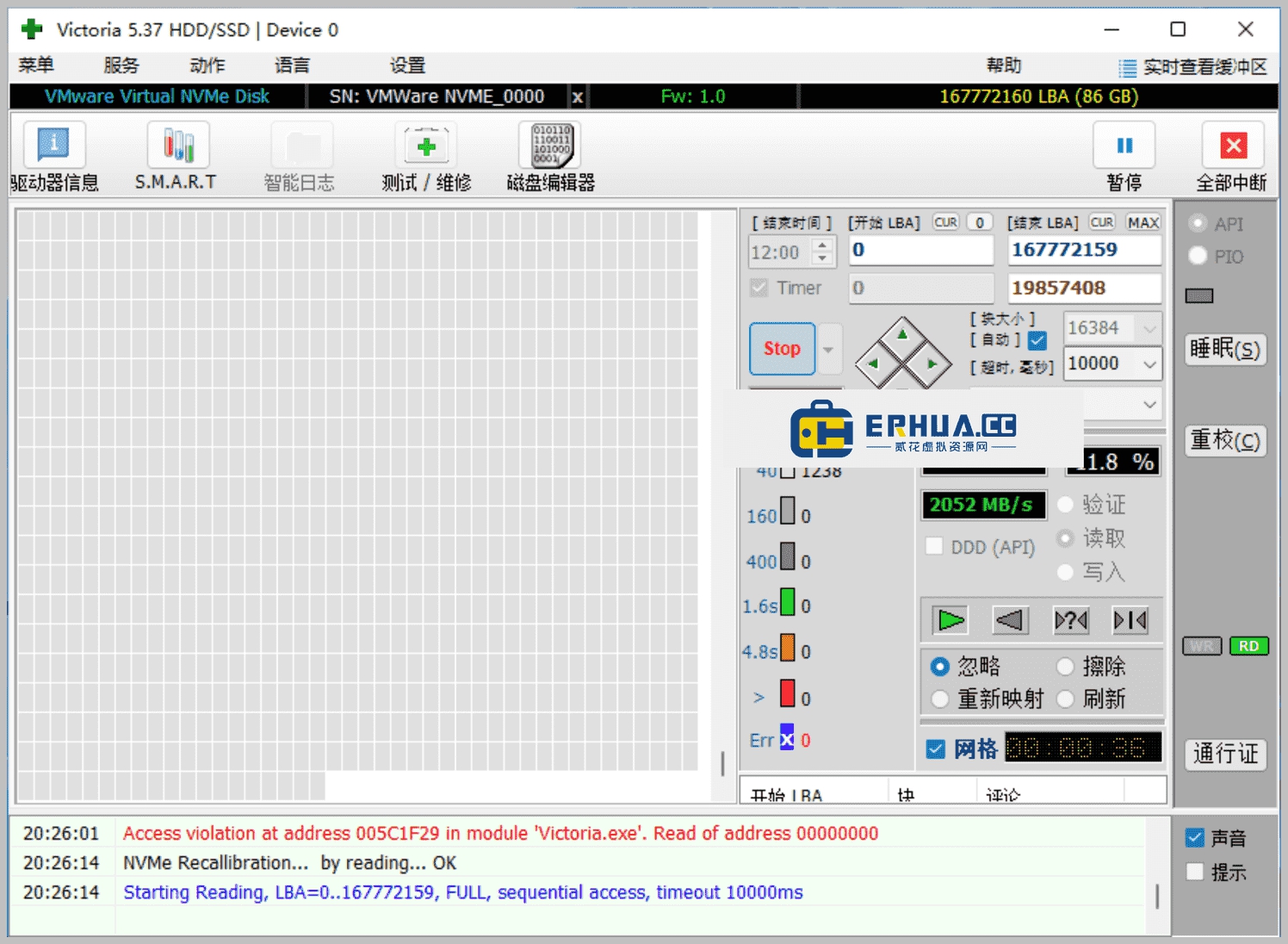

Hard Drive Bad Sector Tester — Victoria v5.37
-
Game Gold-Farming Money-Making Plan: Earn 1k+ Daily, a Stable 3-Year Project Anyone Can Do in Spare Time [Revealed]
Study material — included with membership Get Membership -
Hot-game fully-automated earning: 500+ a day, no experience, simple operation - the steadiest long-term game-earning side hustle (revealed)
Study material — included with membership Get Membership -
FlyingMouse earns merit this time! Don't panic at Windows format problems — the open-source FlyingMouse format conversion tool helps, a popular GitHub gem
Study material — included with membership Get Membership -
Douyin Product-Selling Coaching Bootcamp: No On-Camera Appearance Needed, Newbies Can Produce Selling Short Videos by Following the Steps
Study material — included with membership Get Membership -
First-release game gold-farming money plan: 1K+ a day, ordinary people in spare time
Study material — included with membership Get Membership






-
FlyingMouse earns merit this time! Don't panic at Windows format problems — the open-source FlyingMouse format conversion tool helps, a popular GitHub gem
Study material — included with membership Get Membership -
LuDaShi v6.1024.4105.1121 Slim Single File
Study material — included with membership Get Membership -
2D Cartoon Animation Software Moho Pro v14.3
Study material — included with membership Get Membership -
Video Editor Aiseesoft Filmai v1.0.18
Study material — included with membership Get Membership -
To-Do Microsoft To Do v2.147 Free
Study material — included with membership Get Membership -
PR/AE/DaVinci/FCPX video Plugin Nobe OmniScope Win1.11.15 / Mac1.10.138
Study material — included with membership Get Membership





Victoria for Windows is an efficient bad-sector detection and repair tool by an international team, supporting Windows 10, 8 and 7. Known for a friendly UI and efficient detection/repair, it improves drive performance and stability without harming data.
\ \

Main Features
\ \- \
\
- Quick and deep scan:Victoria for Windows offers two scan modes: quick scan finds surface problems fast, while deep scan digs out hidden bad sectors. \ \
- Safe bad sector repair:It not only detects bad sectors but tries to repair them, restoring normal function while strictly protecting data integrity. \ \
- Smart operation tips:Based on results, Victoria for Windows gives actionable advice to help you manage and maintain drive health. \ \
- Broad compatibility:Supports hard drives of many brands and models, adapting to different users' needs. \ \
- Language interface:Offers multiple language options to meet global users' needs. \ \
- Free software updates:Regular updates, continuously providing the latest features and technical support. \ \
whyselection Victoria for Windows?
\ \In the digital age, drives are core to storing personal and work data. Maintaining drive health prevents data loss and ensures overall system performance. With Victoria for Windows, users prevent drive failures, extend device life, and improve work and personal efficiency.
\ \Installation and usage guide
\ \1. Download and install: get the latest installer from Victoria for Windows' official site and follow on-screen instructions.
\ \2. Launch the app: after install, start Victoria for Windows and prepare to begin the drive check.
\ \3. Pick the drive: in the app UI, choose the disk you want to check. Make sure it matches the drive you actually intend.
\ \4. Run the check: after confirming the drive, click 'start check'. It then auto-scans the disk for bad sectors.
\ \5. Report: after scanning, view a detailed report showing the number of bad sectors, their locations and possible repair suggestions.
\ \6. Fix bad sectors: per the report, you try repairing found bad sectors. During repair, Victoria for Windows takes measures to protect data and prevent loss.
\ \7. Check, repair, repeat: repeat the repair until the computer and hard drive are restored to normal working condition.
\ \This lets users effectively identify and fix drive problems with Victoria for Windows, ensuring data safety and disk health.
\ \ \ \Related Courses

Super local toolbox! Built-in screen recording, audio/video cutting & merging, video compression & extraction, forever free - Kedou Video Converter

100% perfect free tool! One-stop multi-function PDF software: PDF convert, compress, edit etc., minimal, no ads, so nice - JOPDF

Open-Source Desktop Remote Tool, Beats Paid Versions! Free for Personal and Commercial Use Unlimited, Cross-Platform, HopToDesk Remote Control

Latest K-12 Textbook Downloader: Whole-Grade Resource Download, Courseware, Video, Audio in One Click

HuyanBao: free blue-light eye-care app with pet break reminders

Windows Can Have a Desktop Dynamic Island Too! A Modern System Control Center — Give Your PC a Black Notch, PyIsland

3D Simulated Comic Drama Production: Seedance2.0 Full-Process Practical Course - From Zero to One High-Quality Comic Drama Creation

Win/Mac Dual Support! Latest Permanent Lifetime Version, Supports Old Photo Restoration, Image Sharpening and Lossless Upscaling Tool, Aiarty Image Enhancer

Online Video Course: Github Open-Source Bilibili Video Download Tool! Supports 8K and Dolby Vision Bilibili Video Batch Download Tool, Easy to Use Bilidown


