


-
Solo Business Courses
-
 Others
-
Overseas Tutorials
-
Photography & Editing
-
Community & Private Domain
-
Self-Media Writing & Copywriting
-
Side Income Projects
-
E-commerce
-
Short Video & Live Streaming
-
Artificial Intelligence (AI)
-
Software & Tools
-
Operating Systems
-
Plugins & Scripts
-
MacOS Software
-
Android Software
-
Windows Software
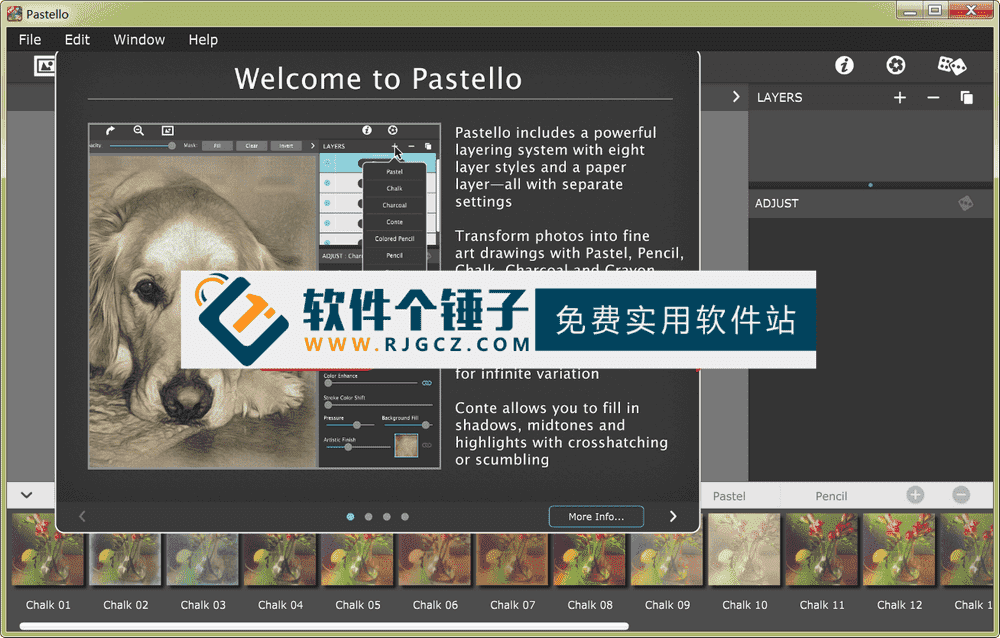
Image to Pencil/Crayon Effect Software JixiPix Pastello v6.0.10 English Edition【Software Ge Chuizi·R4797】
-
Game Gold-Farming Money-Making Plan: Earn 1k+ Daily, a Stable 3-Year Project Anyone Can Do in Spare Time [Revealed]
Study material — included with membership Get Membership -
Hot-game fully-automated earning: 500+ a day, no experience, simple operation - the steadiest long-term game-earning side hustle (revealed)
Study material — included with membership Get Membership -
FlyingMouse earns merit this time! Don't panic at Windows format problems — the open-source FlyingMouse format conversion tool helps, a popular GitHub gem
Study material — included with membership Get Membership -
Douyin Product-Selling Coaching Bootcamp: No On-Camera Appearance Needed, Newbies Can Produce Selling Short Videos by Following the Steps
Study material — included with membership Get Membership -
First-release game gold-farming money plan: 1K+ a day, ordinary people in spare time
Study material — included with membership Get Membership






-
FlyingMouse earns merit this time! Don't panic at Windows format problems — the open-source FlyingMouse format conversion tool helps, a popular GitHub gem
Study material — included with membership Get Membership -
LuDaShi v6.1024.4105.1121 Slim Single File
Study material — included with membership Get Membership -
2D Cartoon Animation Software Moho Pro v14.3
Study material — included with membership Get Membership -
Video Editor Aiseesoft Filmai v1.0.18
Study material — included with membership Get Membership -
To-Do Microsoft To Do v2.147 Free
Study material — included with membership Get Membership -
PR/AE/DaVinci/FCPX video Plugin Nobe OmniScope Win1.11.15 / Mac1.10.138
Study material — included with membership Get Membership





JixiPix Pastello automatically turns photos into crayon, pencil, chalk, charcoal and pastel drawings. Editing options let you layer, blend and brush unique, personalized drawings.
\ \
Return to the Art World of the 15th Century
\ \Pastello is JixiPix's companion to Impresso Pro, taking you back to the 15th century. Step away from brushes and thick strokes into the world of dry media with bright, subtle colors. The dry-medium method made famous by Leonardo da Vinci is powerful in its simplicity — black and red chalk with soft yellow highlights. Later, artists painted charming portraits in a fluid, highly blended way. Centuries on, pastel soon bloomed with vivid color and sharp detail. Fast-forward to today's digital era, and artists can mix and match media that would be hard or impossible traditionally.
\ \Simple and convenient art creation
\ \Pastello makes it easy. Just drop an image in and watch it turn into crayon, chalk, charcoal, wax, colored-pencil and graphite drawings. Use each medium alone, or combine them with layers for lively, expressive sketches full of color and personality. Best of all, Pastello does the work for you. With Pastello, photographers and artists go beyond the camera, turning image files into creative art resembling traditional media — all in a comfortable, easy professional workflow.
\ \Professional workflow
\ \A professional workflow automatically converts photos into pastel drawings with customizable options. You can then use the add options on layers to switch pastel to chalk, charcoal, colored pencil, graphite, conte, or crayon. As you create, the media starts with delicate shading like traditional drawing. Build shadow and color by stacking layers on top — the more you use, the richer they fill. Each style looks beautiful alone or blended into expressive art. Pastello includes a large set of traditional sketch styles plus a bonus 'Da Vinci' style that combines pencil, charcoal, crayon and aged paper as a preset — freely customizable, blendable and tunable to create works full of age, depth and timeless beauty.
\ \Main Features
\ \1. Multiple dry media effects
\ \It lets pen, chalk, charcoal, Conté, colored pencil, pencil and crayon styles deliver true-media effects. Everyone controls stroke size, color and details.
\ \2. Da Vinci-style presets
\ \A built-in DaVinci-style effect analyzer blends 5 fully customizable media onto aged paper.
\ \3. Smart pen drawing technology
\ \Supports pressure-sensitive pen input for precise photo line and surface control.
\ \4. Smart layer system
\ \Smart layers blend pastel colors and styles, and let you select items to copy and delete.
\ \5. Brush fill feature
\ \Able to fill layers and manage brush color and texture.
\ \6. Real paper texture
\ \Paper layers will react to the media applied, giving a realistic paper look. The more media layers you use, the richer the paper texture becomes.
\ \7. Smart pen tools
\ \Supports connected smart pens with touch input.
\ \8. Eraser pen feature
\ \The eraser pen softens and removes media content for a more natural appearance.
\ \9. Mask control system
\ \Allows brushing masks around a model, clearing, removing, or filling brushed areas.
\ \10. Preset system
\ \Allows preset handling for quick access and movement.
\ \11. Custom preset feature
\ \Customizable presets let you develop your own style, or save your project with all strokes and layers intact for later edits.
\ \12. Automatic file recognition and storage
\ \Automatically recognizes and stores files for natural effect type distinction.
\ \13. Favorite presets
\ \The favorite presets feature lets you mark presets for quick access next time.
\ \14. Paper texture management
\ \5 types of paper texture management.
\ \Who is this software for?
\ \JixiPix Pastello suits photographers, digital artists, illustrators, and anyone turning photos into hand-drawn-style art. Whether quick artistic effects or deep creative work, it meets your needs.
\ \Example use cases
\ \E.g. turn a portrait into chalk drawing, add crayon art to landscapes, make hand-drawn illustrations, create unique design elements, or produce art for print.
\ \Operation
\ \It's very intuitive, basically one-click conversion, with rich customization to tweak every detail. A smart layer system makes complex artistic effects easy.
\ \Artistic value
\ \Dry-media art has a long history and unique charm. Pastello revives this tradition in the digital age, letting even beginners create professional dry-media work.
\ \reach芬oddstylespecialcolor
\ \Its built-in Da Vinci style is a highlight — simulating Renaissance techniques with multiple dry-media effects to create historical, artistically deep work.
\ \Usage Tips
\ \Start with preset effects, e.g. Da Vinci style. Try different dry-media combos to find what suits your work, and use layers for richer artistry.
\ \papersheet纹managetargetheavywantnature
\ \Five paper textures make work more real. Different papers react differently to dry media; the app simulates this well, so digital work looks like real paper drawings.
\ \Finally, to sum up
\ \JixiPix Pastello is a professional dry-media art-effect tool that perfectly blends traditional painting with digital tech. Whether quick photo conversion or deep art creation, it provides powerful tools and great results, helping you craft beautiful, artistically valuable work.
\ \ \ \Related Courses

Super local toolbox! Built-in screen recording, audio/video cutting & merging, video compression & extraction, forever free - Kedou Video Converter

100% perfect free tool! One-stop multi-function PDF software: PDF convert, compress, edit etc., minimal, no ads, so nice - JOPDF

Open-Source Desktop Remote Tool, Beats Paid Versions! Free for Personal and Commercial Use Unlimited, Cross-Platform, HopToDesk Remote Control

Latest K-12 Textbook Downloader: Whole-Grade Resource Download, Courseware, Video, Audio in One Click

HuyanBao: free blue-light eye-care app with pet break reminders

Windows Can Have a Desktop Dynamic Island Too! A Modern System Control Center — Give Your PC a Black Notch, PyIsland

3D Simulated Comic Drama Production: Seedance2.0 Full-Process Practical Course - From Zero to One High-Quality Comic Drama Creation

Win/Mac Dual Support! Latest Permanent Lifetime Version, Supports Old Photo Restoration, Image Sharpening and Lossless Upscaling Tool, Aiarty Image Enhancer

Online Video Course: Github Open-Source Bilibili Video Download Tool! Supports 8K and Dolby Vision Bilibili Video Batch Download Tool, Easy to Use Bilidown


