


Categories
See All >
-
Solo Business Courses
-
 Others
-
Overseas Tutorials
-
Photography & Editing
-
Community & Private Domain
-
Self-Media Writing & Copywriting
-
Side Income Projects
-
E-commerce
-
Short Video & Live Streaming
-
Artificial Intelligence (AI)
-
Software & Tools
-
Operating Systems
-
Plugins & Scripts
-
MacOS Software
-
Android Software
-
Windows Software
Batch File/Folder Renamer — FileReNameTool v2.1.1 (Undo)
📚Video Course
🕒Last updated: 11/16/2024
👥Entrepreneurs / Self-media creators / Cross-border e-commerce sellers / Side-hustlers
Study material — included with membership
Unlock Course with Membership
🔓
Get this course for reference study with membership
📦
Join membership — study all 16742 courses & software tools as reference
🔄
Courses keep updating — members study new material as it arrives
Share:
Top Selling Courses
-
Game Gold-Farming Money-Making Plan: Earn 1k+ Daily, a Stable 3-Year Project Anyone Can Do in Spare Time [Revealed]
Study material — included with membership Get Membership -
Hot-game fully-automated earning: 500+ a day, no experience, simple operation - the steadiest long-term game-earning side hustle (revealed)
Study material — included with membership Get Membership -
FlyingMouse earns merit this time! Don't panic at Windows format problems — the open-source FlyingMouse format conversion tool helps, a popular GitHub gem
Study material — included with membership Get Membership -
Douyin Product-Selling Coaching Bootcamp: No On-Camera Appearance Needed, Newbies Can Produce Selling Short Videos by Following the Steps
Study material — included with membership Get Membership -
First-release game gold-farming money plan: 1K+ a day, ordinary people in spare time
Study material — included with membership Get Membership






Top Selling Software Tools
-
FlyingMouse earns merit this time! Don't panic at Windows format problems — the open-source FlyingMouse format conversion tool helps, a popular GitHub gem
Study material — included with membership Get Membership -
LuDaShi v6.1024.4105.1121 Slim Single File
Study material — included with membership Get Membership -
2D Cartoon Animation Software Moho Pro v14.3
Study material — included with membership Get Membership -
Video Editor Aiseesoft Filmai v1.0.18
Study material — included with membership Get Membership -
To-Do Microsoft To Do v2.147 Free
Study material — included with membership Get Membership -
PR/AE/DaVinci/FCPX video Plugin Nobe OmniScope Win1.11.15 / Mac1.10.138
Study material — included with membership Get Membership





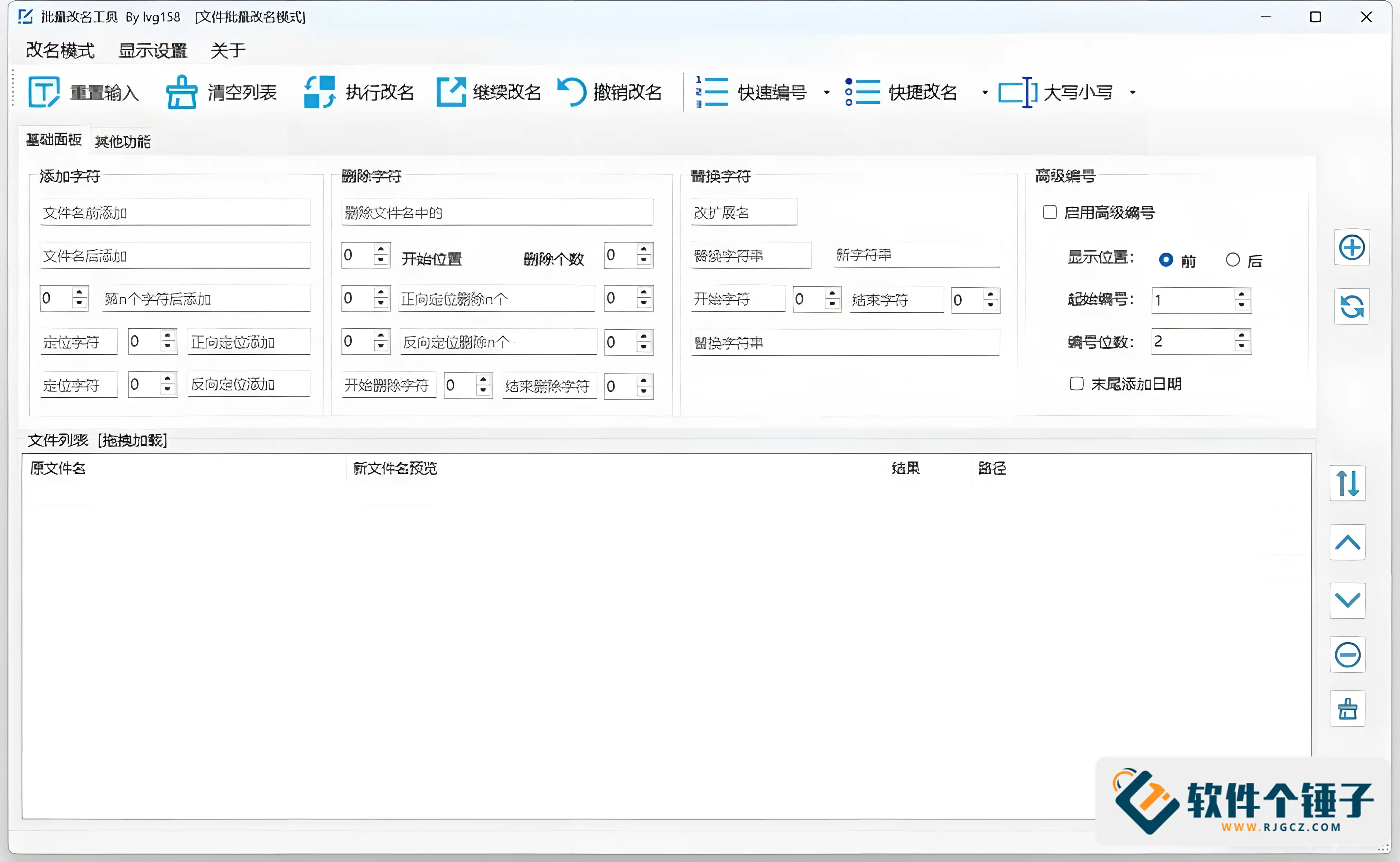
This renamer offers many practical features for batch-renaming needs. Whether one file or many, it gives a simple, efficient solution.
\ \
Main features:
\ \- \
\
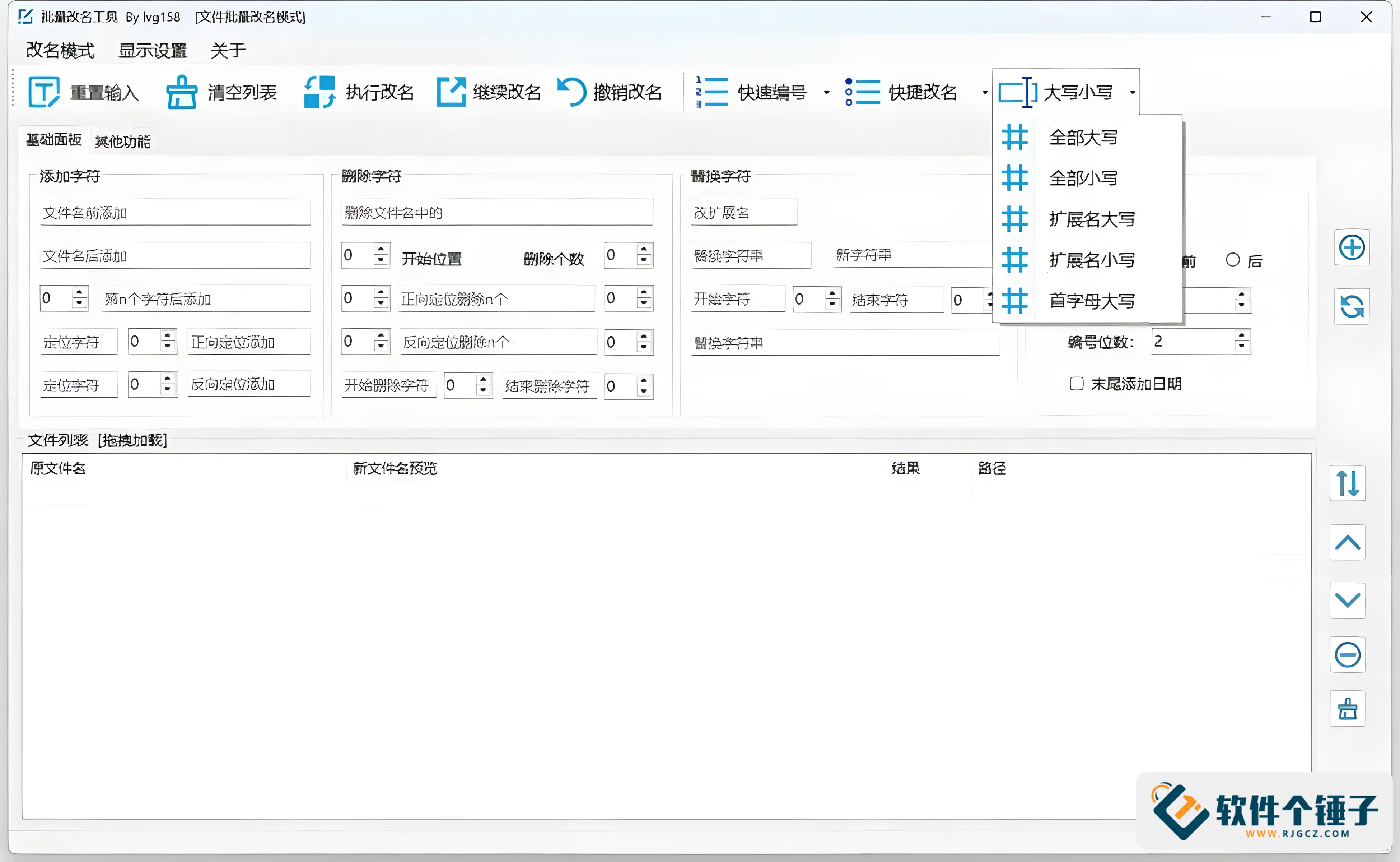
- Multiple renaming methods:
Provides multiple file renaming options to meet different needs, making file management more efficient. \
\
- Drag and drop to load files:
Supports dragging files into the file list to easily load files to be renamed, convenient operation, saving time. \
\
- Undo rename feature:
\ Unhappy with the rename? Undo anytime. As long as the app is open and the list isn't cleared, you easily revert. \
\
- File rename preview:
After the filename is modified, the filename in the preview interface turns blue, while unrenamed ones keep their original color, making it easy to check the rename effect at any time. \
\
- Batch rename:
Supports multi-line input, batch processing of file renaming, greatly improving work efficiency. \
\
- Always on top option:
The software provides a window pinning feature, ensuring the interface always stays in front during operation. \
\
- Quick reset button:
If you are not satisfied with the settings, you can quickly restore the initial settings via the reset button, saving operation time. \
\
Notes:
\ \- \
\
- Positioning character supports offset adjustment:
Although this feature makes the interface look more complex, it brings greater freedom, allowing you to flexibly adjust filenames. \
\
- Single-function operation:
\ Use one renaming feature at a time. If you need several, clear the list after finishing one, then reload files for the next operation. \
\
Version updates:
\ \- \
\
- V2.1.1.20241111:
Updated the data range of Advanced Numbering to support custom adjustment from 1 to 100000. \
\
- V2.1.0.20241015:
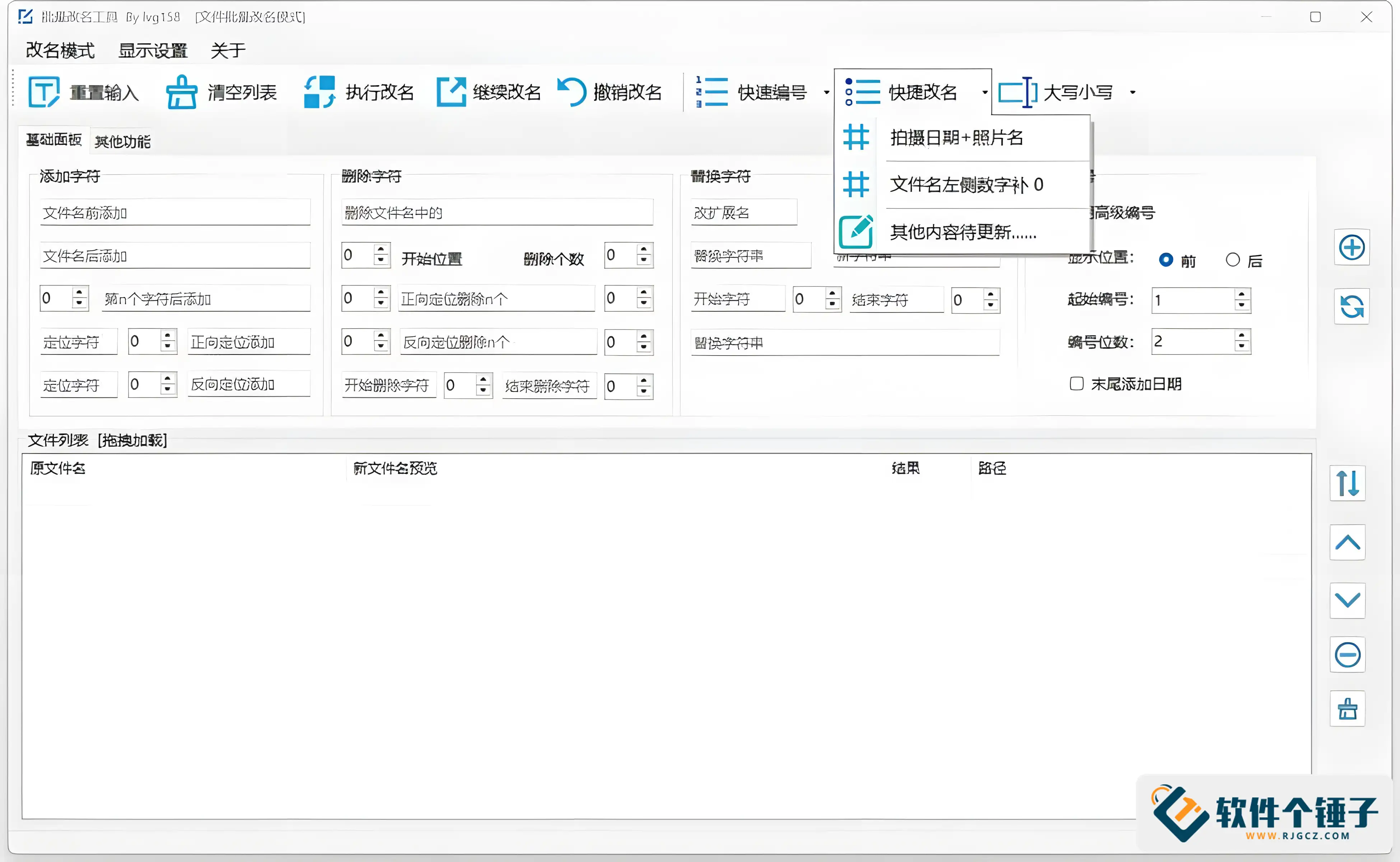
Added a feature to pad the number on the left side of the filename with "0".
Optimized the logic for determining Continue Renaming. \
\
- V2.0.0.0 — Major update, completely redesigned program:
Completely rewrote the code, reduced runtime requirements, and supports Windows 7 and above.
Batch renaming supports both files and folders.
Supports operations such as always-on-top window and window edge docking.
Drag-and-drop file loading, supports batch operations.
After renaming, you can continue to modify, and files are automatically reloaded.
Supports undoing the most recent operation.
The file list supports sorting, deleting, clearing, and other operations.
Added more Quick Numbering templates.
Supports renaming photo files by shooting date.
Other optimizations and renaming features. \
\
Runtime environment:
\ \The software is based on .NET 7.0 X86, developed with VS2022 Community Edition, and requires installation at runtime windowsdesktop-runtime-7.0.9-win-x86。
\ \ \ \Related Courses

Study material — included with membership
Get Membership
Super-lightweight C-Drive Manager for Windows! Very distinctive: disk analysis and cleanup reminders, 2MB size, completely free

Study material — included with membership
Get Membership
Reinstall Without a USB Drive! This Tool Lets Newbies Quickly Reinstall Windows, Supports Unattended Setup, Data-Safe—CmzPrep_Rev2

Study material — included with membership
Get Membership
A GitHub speed-up tool! Open GitHub faster, auto-responding to the fastest node - a lightweight open-source tool: Ghips

Study material — included with membership
Get Membership
EasyRC: one-click Windows reinstall without USB, backup and restore included

Study material — included with membership
Get Membership
Permanently Block Windows 10/11 Updates: Huawei Tool, Avoid Frequent Win Update Problems

Study material — included with membership
Get Membership
Windows 7/10/11 System Update Blocker Is Here! Only 400KB, One-Click Disable System Updates and Restore Updates, Compact and Easy to Use

Study material — included with membership
Get Membership
Stop Deleting Files Randomly! C Drive Red Alert Savior: Deep Cleanup + System Optimization, Works on Windows/macOS!

Study material — included with membership
Get Membership
Office Fully-Automatic One-Click Deployment Installer, up to 2024, Customizable Components, Built-in Activation, All Free - Mocreak

Study material — included with membership
Get Membership
Windows System Reinstall Tool, Supports Local Image File Install and Backup, Simple to Use, Safe and Stable, Supports All Scenarios

Study material — included with membership
Get Membership
PC Acting Up? Newbie-Essential Driver Repair Tool—One-Click Update & Fix Driver Issues, It’s That Simple

China Projects — one person, one company. No team, no middlemen. Every model here is already proven in China. Join the membership, study it as reference, and launch it locally in your country.
