


Categories
See All >
-
Solo Business Courses
-
 Others
-
Overseas Tutorials
-
Photography & Editing
-
Community & Private Domain
-
Self-Media Writing & Copywriting
-
Side Income Projects
-
E-commerce
-
Short Video & Live Streaming
-
Artificial Intelligence (AI)
-
Software & Tools
-
Operating Systems
-
Plugins & Scripts
-
MacOS Software
-
Android Software
-
Windows Software

One-Stop Learning of AI Creativity & Short-Video Editing — The Complete Guide From Intro to Monetization
📚Video Course
🕒Last updated: 03/15/2025
👥Entrepreneurs / Self-media creators / Cross-border e-commerce sellers / Side-hustlers
Study material — included with membership
Unlock Course with Membership
🔓
Get this course for reference study with membership
📦
Join membership — study all 16741 courses & software tools as reference
🔄
Courses keep updating — members study new material as it arrives
Share:
Top Selling Courses
-
Game Gold-Farming Money-Making Plan: Earn 1k+ Daily, a Stable 3-Year Project Anyone Can Do in Spare Time [Revealed]
Study material — included with membership Get Membership -
Hot-game fully-automated earning: 500+ a day, no experience, simple operation - the steadiest long-term game-earning side hustle (revealed)
Study material — included with membership Get Membership -
FlyingMouse earns merit this time! Don't panic at Windows format problems — the open-source FlyingMouse format conversion tool helps, a popular GitHub gem
Study material — included with membership Get Membership -
Douyin Product-Selling Coaching Bootcamp: No On-Camera Appearance Needed, Newbies Can Produce Selling Short Videos by Following the Steps
Study material — included with membership Get Membership -
First-release game gold-farming money plan: 1K+ a day, ordinary people in spare time
Study material — included with membership Get Membership






Top Selling Software Tools
-
FlyingMouse earns merit this time! Don't panic at Windows format problems — the open-source FlyingMouse format conversion tool helps, a popular GitHub gem
Study material — included with membership Get Membership -
LuDaShi v6.1024.4105.1121 Slim Single File
Study material — included with membership Get Membership -
2D Cartoon Animation Software Moho Pro v14.3
Study material — included with membership Get Membership -
Video Editor Aiseesoft Filmai v1.0.18
Study material — included with membership Get Membership -
To-Do Microsoft To Do v2.147 Free
Study material — included with membership Get Membership -
PR/AE/DaVinci/FCPX video Plugin Nobe OmniScope Win1.11.15 / Mac1.10.138
Study material — included with membership Get Membership





This course, taught by a professional instructor, covers the hottest AI plays, basic practice, side-hustle monetization, and short-video editing techniques. Whether a beginner or an advanced learner, you find content that fits you here. From AI image generation and video production to old-photo restoration and digital-human creation, then to CapCut operation and effects, it all-around lifts your AI-application and video-editing abilit
\y.
\Content
\1. Today's hot AI plays
\- How to use DeepSeek to generate prompts and Doubao to generate images and reverse-engineer prompts
- Learn to use DeepSeek to generate prompts, use Doubao to generate images, and reverse-engineer prompts, lifting creative efficiency.
- How to use AI to make a big orange cat cooking video
- Learn to use AI to generate a fun big orange cat cooking video, lifting video fun.
- How to use AI to make a Dunhuang beauty outfit-change video
- Understand how to use AI tech to generate a Dunhuang beauty outfit-change video, showing the blend of tradition and modernity.
- How to use AI to make a Classic-of-Mountains-and-Seas video
- Learn to use AI to generate Classic-of-Mountains-and-Seas videos, showing the ancient text's charm.
- How to use AI to make a lip-sync video
- Understand how to use AI to generate lip-sync videos, lifting video interactivity and viewing experience.
- How to use AI to make a video of an old grandpa and grandma dancing
- Learn to use AI to generate a video of an old grandpa and grandma dancing, showing seniors' vitality.
- How to use AI to modify or remove details in the frame
- Learn to use AI tech to modify or remove details in the frame, improving video tidiness.
- How to use AI to restore old photos and generate dynamic videos
- Understand how to use AI to restore old photos and generate dynamic videos, preserving precious memories.
- How to use AI to change a person's hairstyle, clothes, and background
- Learn to use AI tech to change a person's hairstyle, clothes, and background, improving video variety.
- How to use AI to make identical or similar animal images
- Understand how to use AI to generate identical or similar animal images, improving video creativity.
- How to use AI to make children's ancient-poem recitation videos
- Learn to use AI to generate children's ancient-poem recitation videos, improving educational content's fun.
- How to use AI to make wellness and animation-narration videos
- Understand how to use AI to generate wellness and animation-narration videos, improving health content's appeal.
- How to use AI to make a cute-pet dancing video
- Learn to use AI to generate a cute-pet dancing video, improving video cuteness.
- How to use AI to make a rural healing video
- Understand how to use AI to generate a rural healing video, improving the video's healing effect.
- How to keep characters consistent in children's ancient-poem animation
- Learn to keep characters consistent in children's ancient-poem animation, improving the overall effect.
- How to use AI to make the "Chishang" children's ancient-poem video (live-replay video)
- Understand how to use AI to generate the "Chishang" children's ancient-poem video, learning from a live-replay video.
2. AI basic practice
\- How to use AI to make a digital human
- Learn to use AI tech to make a digital human, improving virtual-content creativity.
- Meet AI starting from DeepSeek
- Understand how to start with DeepSeek and grasp AI's basic concepts.
- DeepSeek download and basic use
- Learn to download and use DeepSeek, laying a foundation for later operation.
- The eight rules of using prompts well
- Understand the eight rules of using prompts well, improving AI-generated content quality.
- The difference between reasoning models (the R1 deep-thinking model) and non-reasoning models
- Understand the difference, choosing the right AI model.
- DeepSeek web search — give your AI eyes
- Learn to use DeepSeek for web search, improving AI intelligence.
- How to use DeepSeek + Doubao to generate the images we want
- Understand how to use DeepSeek and Doubao to generate the images we want, improving creative efficiency.
3. AI side-hustle monetization
\- Preface to the monetization project
- Understand the monetization project's background and outlook, preparing for side-hustle monetization.
- Introduction to the old-photo restoration project and how it earns
- Learn to monetize through the old-photo restoration project, boosting the project's commercial value.
- [Old-photo techniques] HD restoration + colorization
- Understand how to restore and colorize old photos, improving clarity and color.
- [Old-photo techniques] How to turn photos into motion videos
- Learn to turn photos into motion videos, boosting content appeal.
- [Old-photo techniques] How to turn photos into talking videos
- Understand how to turn photos into talking videos, boosting content interactivity.
4. Short-video editing basics
\- Getting to know the CapCut interface
- Understand CapCut's basic functions and layout, laying a foundation for later operations.
- Two ways to split and crop short-video material
- Learn two ways to split and crop short-video material, boosting editing efficiency.
- How to add text to short videos
- Understand how to add text to short videos, boosting content communication.
- How to quickly auto-generate subtitles
- Learn to quickly auto-generate subtitles, saving time.
- Several ways to add music and audio
- Understand several ways to add music and audio, enhancing background sound.
- How to add voiceover to short videos
- Learn to add voiceover to short videos.
Related Courses

Study material — included with membership
Get Membership
Family Comedy Short-Drama Creation Course: Benchmark Hot Accounts, AI-Assisted, Fast Start for Total Beginners, Grow Followers and Drive Product Sales

Study material — included with membership
Get Membership
Amazon AI Automation Practical Course: AI Operating Mindset, Setting Up the Codex Environment, Risk-Control Checks and Automated Listing Copy

Study material — included with membership
Get Membership
AI E-Commerce Data Tool Development Course: Learn Codex+BI From Zero, Build a Multi-Store Integrated Visualization Dashboard


Study material — included with membership
Get Membership
Advanced AI Prompt Application: 15 Lessons | Universal Instruction Thinking + Multiple Output Modes + Full Industry Commercial Cases
Study material — included with membership
Get Membership
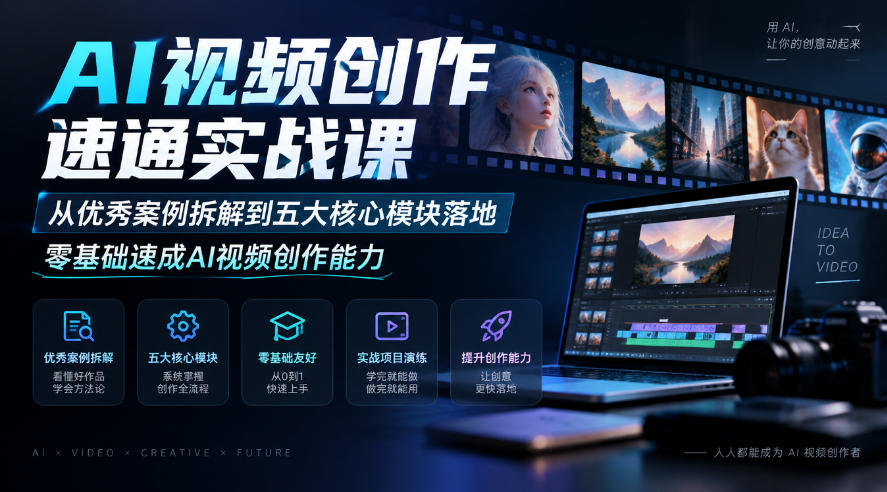
AI Video Creation Crash Course: From Great-Case Breakdown to Five Core Modules, Fast-Track AI Video Skills for Total Beginners

Study material — included with membership
Get Membership
AI Commercial Practice System Course: In-Depth SD Mastery + Advanced Flux Hands-On + Comfyui Workflow Building, Full Commercial Design Project Training

Study material — included with membership
Get Membership
[National-Day Pick] AI Automation Game, 1k+ RMB a Day, Simple to Operate, Stable for Three Years! [Revealed]


China Projects — one person, one company. No team, no middlemen. Every model here is already proven in China. Join the membership, study it as reference, and launch it locally in your country.
