-
Solo Business Courses
-
 Others
-
Overseas Tutorials
-
Photography & Editing
-
Community & Private Domain
-
Self-Media Writing & Copywriting
-
Side Income Projects
-
E-commerce
-
Short Video & Live Streaming
-
Artificial Intelligence (AI)
-
Software & Tools
-
Operating Systems
-
Plugins & Scripts
-
MacOS Software
-
Android Software
-
Windows Software

AI Smart Application Encyclopedia: Get Started Immediately, Boost Work & Learning Efficiency Tenfold
-
Game Gold-Farming Money-Making Plan: Earn 1k+ Daily, a Stable 3-Year Project Anyone Can Do in Spare Time [Revealed]
Study material — included with membership Get Membership -
Hot-game fully-automated earning: 500+ a day, no experience, simple operation - the steadiest long-term game-earning side hustle (revealed)
Study material — included with membership Get Membership -
FlyingMouse earns merit this time! Don't panic at Windows format problems — the open-source FlyingMouse format conversion tool helps, a popular GitHub gem
Study material — included with membership Get Membership -
Douyin Product-Selling Coaching Bootcamp: No On-Camera Appearance Needed, Newbies Can Produce Selling Short Videos by Following the Steps
Study material — included with membership Get Membership -
First-release game gold-farming money plan: 1K+ a day, ordinary people in spare time
Study material — included with membership Get Membership






-
FlyingMouse earns merit this time! Don't panic at Windows format problems — the open-source FlyingMouse format conversion tool helps, a popular GitHub gem
Study material — included with membership Get Membership -
LuDaShi v6.1024.4105.1121 Slim Single File
Study material — included with membership Get Membership -
2D Cartoon Animation Software Moho Pro v14.3
Study material — included with membership Get Membership -
Video Editor Aiseesoft Filmai v1.0.18
Study material — included with membership Get Membership -
To-Do Microsoft To Do v2.147 Free
Study material — included with membership Get Membership -
PR/AE/DaVinci/FCPX video Plugin Nobe OmniScope Win1.11.15 / Mac1.10.138
Study material — included with membership Get Membership





I. Open AI Dialogue and Plugins:
\
– 实时联网
\
– Text-to-Image Matching
\
– In-depth Video Content Analysis
\
– Professional Data Analysis
\
– 代码生成
\
– Voice Learning and Multilingual Communication
\
– Personal Legal Advisor
\
– Mind Map and Flowchart Generation
\
– Math, Physics, Chemistry, and Engineering Drawing
\
– 视频制作
\
– SEO诊断
\
– Customized News Access
\
– Text-to-Speech
\
– Graphic Poster and Display Board Creation
\
– University Course Access
\
– Programming Knowledge Expansion
\
– Personalized GIF Material Recommendations
\
– High-Quality Answer Access
\
– Music Trend Analysis
\
– Digital Human Virtual Personality Construction
\
– Academic Resource Access
\
– Efficient Reading and Personalized Book Recommendations
\
– Professional Academic Paper Interpretation
\
– Dream Interpretation
– Recommended computer configurations
– Musical notation conversion
– Voice-controlled Q&A
– Best AI tool recommendations
– Digital human video creation
– Personal tutoring services
– Visualization of complex content
– Restaurant space design
– Xiaohongshu women's fashion copy optimization
– Xiaohongshu operation strategy optimization
– English name selection
– News writing
– Turning simple sketches into beautiful images
– A-share market analysis
– Emotional management
– Creative writing
– Disney-style 3D avatar generation
II. AI Painting Midjourney:
– Tool selection and learning planning
– The infinite possibilities of DALL·E 3
– Generating stunning images on Discord
– Using the service in compliance with community guidelines
– Precise use of Prompts
– Diversity of different Prompts
– Tips for using the VaryRegion editor
– Combining Remix mode with the VaryRegion editor
– Application of Upscalers
– Application of different model versions
– Discord messaging tips
– Adding MidjourneyBot to a Discord server
– Mastering the MidjourneyBot command list
– Blending images with the blend command
– Using the describe command to reverse-engineer prompts
– Using the _info command to view user information
– Application of settings and presets
– Using the _show command for moving workspaces
– Using the shorten command to analyze prompt weights
– Introduction to Midjourney parameters
– Aspect ratio parameter settings and application
– Using the Chaos parameter to control creative diversity
– –no parameter to exclude unwanted elements
– –quality parameter to adjust image generation quality
III. Stable Diffusion:
– One-click deployment tips
– Parameter setting tips
– Using the txt2img feature
– txt2img tab parameter setting tips
– txt2 tab extra seed options usage
– High-resolution fix Hires.fix tips
– Generate function series button usage
– Image file operation tips
– img2img tab image conversion tips
– Sketch tool usage tips
– Inpainting repair feature usage
– Repair sketch feature tips
– Batch processing feature usage
IV. AI Black Technology:
– Image drag-point retouching
– Multi-camera footage batch editing
– Motion capture and 3D body tracking
– Automatic editing of high-quality short videos
– Facial voice enhancement and HD restoration
– Design efficiency improvement and high-quality output
– Voice synthesis tips
– Making specific characters speak specific languages
– Audio and video to text tool usage
V. AI Office:
– PPT creation tips
– Douyin comment section integration method
– Local offline deployment of large models tips
VI. AI Employees:
– Introduction to AI platform XoYiAI
– Large language model applications
– Knowledge base cleaning tips
– Intelligent customer service and marketing automation applications
– Introduction to XoYiTransfer features
– XoYiTransfer mass news sending tips
– Business scope definition and question silencing tips
VII. Course Catalog:
Related Courses

Family Comedy Short-Drama Creation Course: Benchmark Hot Accounts, AI-Assisted, Fast Start for Total Beginners, Grow Followers and Drive Product Sales

Amazon AI Automation Practical Course: AI Operating Mindset, Setting Up the Codex Environment, Risk-Control Checks and Automated Listing Copy

AI E-Commerce Data Tool Development Course: Learn Codex+BI From Zero, Build a Multi-Store Integrated Visualization Dashboard


Advanced AI Prompt Application: 15 Lessons | Universal Instruction Thinking + Multiple Output Modes + Full Industry Commercial Cases
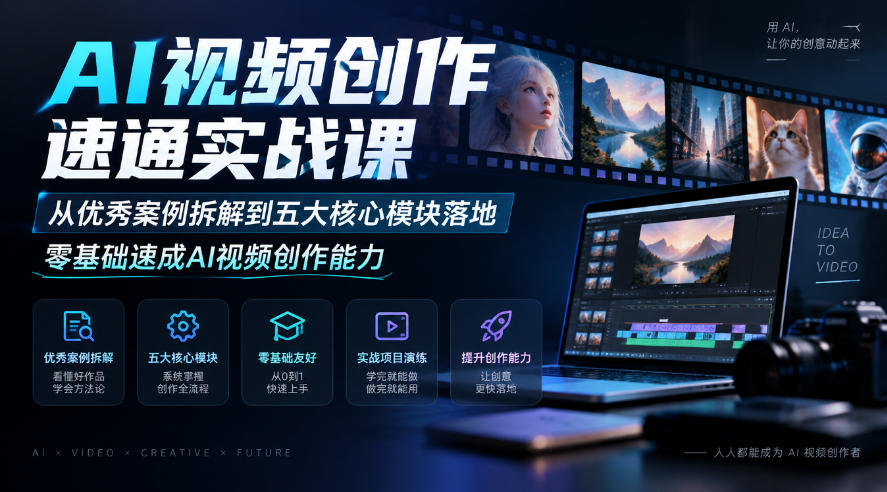
AI Video Creation Crash Course: From Great-Case Breakdown to Five Core Modules, Fast-Track AI Video Skills for Total Beginners

AI Commercial Practice System Course: In-Depth SD Mastery + Advanced Flux Hands-On + Comfyui Workflow Building, Full Commercial Design Project Training

[National-Day Pick] AI Automation Game, 1k+ RMB a Day, Simple to Operate, Stable for Three Years! [Revealed]