


-
Solo Business Courses
-
 Others
-
Overseas Tutorials
-
Photography & Editing
-
Community & Private Domain
-
Self-Media Writing & Copywriting
-
Side Income Projects
-
E-commerce
-
Short Video & Live Streaming
-
Artificial Intelligence (AI)
-
Software & Tools
-
Operating Systems
-
Plugins & Scripts
-
MacOS Software
-
Android Software
-
Windows Software

AI Coding from Zero to App Store Practical Tutorial
-
Game Gold-Farming Money-Making Plan: Earn 1k+ Daily, a Stable 3-Year Project Anyone Can Do in Spare Time [Revealed]
Study material — included with membership Get Membership -
Hot-game fully-automated earning: 500+ a day, no experience, simple operation - the steadiest long-term game-earning side hustle (revealed)
Study material — included with membership Get Membership -
FlyingMouse earns merit this time! Don't panic at Windows format problems — the open-source FlyingMouse format conversion tool helps, a popular GitHub gem
Study material — included with membership Get Membership -
Douyin Product-Selling Coaching Bootcamp: No On-Camera Appearance Needed, Newbies Can Produce Selling Short Videos by Following the Steps
Study material — included with membership Get Membership -
First-release game gold-farming money plan: 1K+ a day, ordinary people in spare time
Study material — included with membership Get Membership






-
FlyingMouse earns merit this time! Don't panic at Windows format problems — the open-source FlyingMouse format conversion tool helps, a popular GitHub gem
Study material — included with membership Get Membership -
LuDaShi v6.1024.4105.1121 Slim Single File
Study material — included with membership Get Membership -
2D Cartoon Animation Software Moho Pro v14.3
Study material — included with membership Get Membership -
Video Editor Aiseesoft Filmai v1.0.18
Study material — included with membership Get Membership -
To-Do Microsoft To Do v2.147 Free
Study material — included with membership Get Membership -
PR/AE/DaVinci/FCPX video Plugin Nobe OmniScope Win1.11.15 / Mac1.10.138
Study material — included with membership Get Membership





AI Coding from Zero to App Store Practical Course: 2026 Complete Workflow for Ordinary People from Mini Program Development to Launch
\\ June 29, 2026
\ AI-Assisted Mini Program Development in Practice
\ Zero-foundation side-hustle entrepreneurs, self-media individual merchants, and beginners who want to use AI to develop software products
Many ordinary people want to develop their own mini program software, but are blocked by layers of barriers: they cannot understand the development architecture or set up a code environment; they cannot configure servers or databases, so the project cannot go live even after the code is written; they do not understand domain name resolution, SSL certificates, or the MIIT filing process, so the project can only remain local; they repeatedly fix code bugs but do not know debugging or version management; and they are unfamiliar with mini program platform rules, so submitted reviews are repeatedly rejected, wasting a lot of time without being able to officially publish. In the current era of widespread AI technology, ordinary people do not need years of programming expertise; with AI assistance, they can independently complete an entire software project development process.
\This course closely follows the latest 2026 launch standards and uses a complete bookkeeping mini program as a practical project, guiding students through every step from project setup to official release. Through this course, you will learn to independently set up a standardized development environment and skillfully use databases, containers, and remote operations tools; use AI to generate front-end and back-end code, independently complete full-featured mini program development, and troubleshoot bugs on your own; master cloud server deployment, domain name configuration, and certificate setup to smoothly deploy local projects to public network servers; and fully understand the entire processes of domain name filing, mini program filing, and public security network filing, become familiar with WeChat mini program review rules, confidently handle review rejections, and successfully publish the project officially.
\- \
- 1.Preface and course overview \
- 2.Software composition and development concepts \
- 3.Install nvm (Node version management tool) \
- 4.What is a database \
- 5.Installing dev tools \
- 6.Install Git \
- 7.Buying a cloud server \
- 8.Install Xshell and Xftp \
- 9.Install Docker and MySQL \
- 10.Install Navicat and connect to the database \
- \
- 11.Register Gitee and clone the code \
- 12.Register Qoder \
- 13.Client-side pre-environment check \
- 14.Initializing client-side code \
- 15.Initializing server-side code \
- 16.Committing the initialized code \
- 17.Testing login functionality \
- 18.Feature bug fixes \
- 19.Writing Rules (rule files) \
- 20.One-click startup script \
- 21.Generating requirement docs \
- 22.Requirement doc adjustments \
- 23.Bottom navigation bar feature development \
- 24.Verifying mini-program features \
- \
- 25.Category-management feature development \
- 26.Ledger-management feature development \
- 27.Bookkeeping feature development \
- 28.Statistics feature development \
- 29.Profile page adjustments \
- \
- 30.Fixing the issue where the homepage can be accessed without logging in \
- 31.Switching to Alibaba Cloud SMS service \
- 32.Editing JWT config \
- 33.Database config adjustments \
- 34.How to name software \
- 35.How to make software icons \
- \
- 36.Buying a domain \
- 37.Deploy Nginx \
- 38.Domain DNS Setup \
- 39.Configure SSL certificates \
- 40.Generating the ICP-filing official site \
- 41.Domain ICP filing \
- 42.Register a WeChat mini-program \
- 43.WeChat mini-program certification \
- 44.WeChat mini-program info modification \
- 45.Server-side program deployment \
- 46.Testing the deployed server-side program \
- 47.WeChat mini-program ICP filing \
- 48.Publishing the filing number on the official site \
- 49.Editing the Nginx server config \
- 50.Public-security network filing \
- \
- 51.Production environment config adjustments \
- 52.Submitting mini-program for review \
- 53.Review rejection revisions \
- 54.Deploy to production \
💡 Learning Tip:Content reflects industry practices at time of publication. Please refer to the latest platform rules when learning.
\Related Courses

A New Ad-Watching Platform: 1.4 Yuan Per Ad, Bonus on Withdrawal, Easily 20+ RMB a Day Per Phone—Great for the Long Term [Revealed]

Precise Customer-Acquisition Master Course: Super-Individual Case Breakdown, Low-Cost Mining of High-Quality Clients
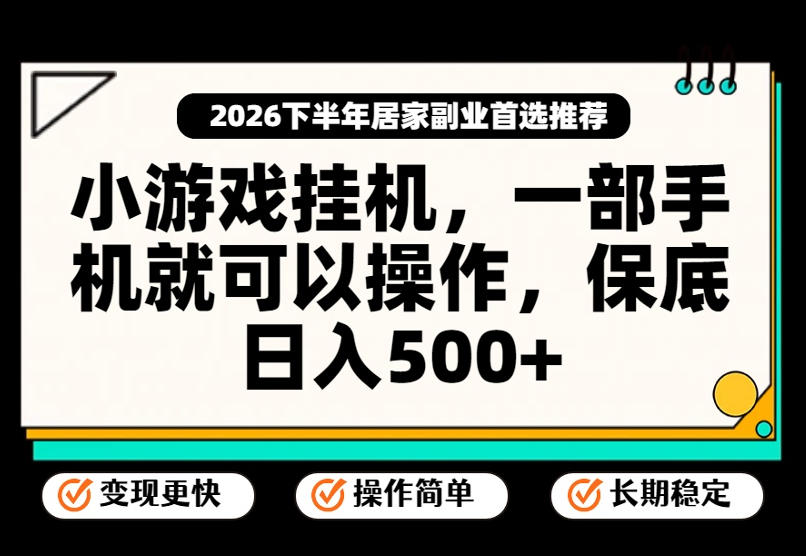
Mini-game AFK Bot Project: Operate With Just One Phone — No Luck, Only Solid Execution, Easily Earn 500+ A Day! [Revealed]

Soda Music + Tencent Musician AFK Play: A Lazy-Person Project, Batchable, No Manual Monitoring Needed, Beginners Can Easily Start [Revealed]

Stop Blindly Grinding Projects! The Real Logic of Making Money Online: Be a Shovel-Seller, Refuse to Be a Chive, Turn the Tide and Earn 50-80K+ A Month

The ceiling of 2026 internet projects: how ordinary people can earn 100K a month through paid knowledge products and leap a tier

Zero-cost film-and-TV reselling project: ordinary people can do it in spare time and easily earn 10K a month (revealed)

Xunlei Cloud Drive Promotion Monetization Camp: Analyze Conversion Cases, Double Your Earnings, Master Group Promotion and Traffic-Driving Re-posting

Monetize Virtual Resources with a Web-Entrepreneurship Mini-Program: Hit a Million a Year, One Phone Is All You Need, Zero-Cost Side Hustle
