


-
Solo Business Courses
-
 Others
-
Overseas Tutorials
-
Photography & Editing
-
Community & Private Domain
-
Self-Media Writing & Copywriting
-
Side Income Projects
-
E-commerce
-
Short Video & Live Streaming
-
Artificial Intelligence (AI)
-
Software & Tools
-
Operating Systems
-
Plugins & Scripts
-
MacOS Software
-
Android Software
-
Windows Software

Everyone's Live-Stream E-commerce Practical Tutorial
-
Game Gold-Farming Money-Making Plan: Earn 1k+ Daily, a Stable 3-Year Project Anyone Can Do in Spare Time [Revealed]
Study material — included with membership Get Membership -
Hot-game fully-automated earning: 500+ a day, no experience, simple operation - the steadiest long-term game-earning side hustle (revealed)
Study material — included with membership Get Membership -
FlyingMouse earns merit this time! Don't panic at Windows format problems — the open-source FlyingMouse format conversion tool helps, a popular GitHub gem
Study material — included with membership Get Membership -
Douyin Product-Selling Coaching Bootcamp: No On-Camera Appearance Needed, Newbies Can Produce Selling Short Videos by Following the Steps
Study material — included with membership Get Membership -
First-release game gold-farming money plan: 1K+ a day, ordinary people in spare time
Study material — included with membership Get Membership





-
FlyingMouse earns merit this time! Don't panic at Windows format problems — the open-source FlyingMouse format conversion tool helps, a popular GitHub gem
Study material — included with membership Get Membership -
LuDaShi v6.1024.4105.1121 Slim Single File
Study material — included with membership Get Membership -
2D Cartoon Animation Software Moho Pro v14.3
Study material — included with membership Get Membership -
Video Editor Aiseesoft Filmai v1.0.18
Study material — included with membership Get Membership -
To-Do Microsoft To Do v2.147 Free
Study material — included with membership Get Membership -
PR/AE/DaVinci/FCPX video Plugin Nobe OmniScope Win1.11.15 / Mac1.10.138
Study material — included with membership Get Membership





How Ordinary People Do Live-Stream E-commerce: A Step-by-Step Guide from 0 to 1 Through the Entire Live-Streaming Process
\\ June 29, 2026
\ Full-Platform Live-Stream E-commerce in Practice
\ Zero-foundation live-streaming entrepreneurs, beginner streamers, individual merchants, and businesses looking to expand local life services
This course is designed specifically for ordinary people with zero foundation, covering four practical scenarios: WeChat Channels, Douyin live-stream e-commerce, local life group buying, and mobile-only live streaming. Starting with must-see basics for newcomers such as account registration, real-name verification, and quick follower growth techniques, it systematically explains core steps including showcase opening, hit product selection, green screen and real-scene setup, script design, and paid traffic promotion. The course also includes dual operation guides for PC and mobile, prohibited word settings, equipment debugging, and other details, adapting to different hardware conditions and truly guiding you step by step from 0 to 1 through the entire live-streaming process.
\Through this course, you will master the complete live-stream e-commerce system for two mainstream platforms, WeChat Channels and Douyin, including pre-account preparation and traffic activation, follower-growth content production methods, showcase opening and product addition, green screen and real-scene setup, universal live-streaming script templates, PC and mobile broadcast process settings, and paid traffic promotion strategies. At the same time, the course specifically explains live-streaming methods for local life group buying, multiple setup solutions from no on-camera appearance to real-person appearance, and mobile-only live-streaming operation techniques. Whether or not you have a computer, you can find a live-streaming method that suits you and quickly start your live-stream e-commerce journey.
\- \
- 1.Must-see for beginners: A beginner's guide to live-stream selling \
- 2.Preparation + types of follower-growth content and key points \
- 3.Using an existing phone number to help register WeChat \
- 4.How to help register an account \
- 5.Analysis of follower-growth content types \
- 6.[Real person + question style + live footage] How to produce \
- 7.What to do if you don't have a teleprompter when filming \
- 8.[Question style + live footage] How to produce \
- 9.How to create lucky text \
- 10.How to create universal follower-growth content \
- 11.How to open a showcase \
- 12.How to complete real-name verification \
- 13.How to add trending products \
- 14.How to add trending products on Channels \
- 15.[PC version] How to add trending products \
- 16.Product selection on mobile \
- 17.How to add seasonal products \
- 18.Key points for product selection \
- 19.Setting up people, products, and scene \
- 20.Green screen scene setup \
- 21.How to create AI video background materials \
- 22.Creating AI video background materials (advanced) \
- 23.Material editing + text creation \
- 24.How to create background images and overlay materials \
- 25.How to set up Live Companion \
- 26.Channels live-stream screen settings \
- 27.Setting up a mirror live-stream scene \
- 28.Setting up a live-stream scene with a real person on camera \
- 29.How to extract competitors' live scripts and product information \
- 30.Universal live-script templates \
- 31.Analysis of traffic differences \
- 32.Channels ad delivery operations \
- 33.How to add links when going live on mobile \
- 34.How to add links when going live on PC \
- 35.Summarizing the live workflow \
- 36.How to check if the microphone has sound \
- 37.How to set up Tianyuexing assistant \
- 38.Simple version: PC live-stream workflow \
- \
- 1.Must-see for Douyin beginners: A beginner's guide \
- 2.Account preparation \
- 3.Activate account traffic \
- 4.How to check your valid followers \
- 5.[Real person Q&A style + real footage] how to produce \
- 6.[Question-style + real footage] how to produce \
- 7.Follower growth 01: How to create festive text \
- 8.Follower growth 02: How to create cartoon images \
- 9.Follower growth 03: How to create universal follower-growth content \
- 10.[Very important] Account real-name verification issues \
- 11.Notes on opening a showcase \
- 12.How to add viral products \
- 13.How to quickly find 100 precise benchmark accounts \
- 14.Free sample applications and exclusive targeted link acquisition \
- 15.5 principles for product selection on Selected Alliance and quick methods to follow trending products \
- 16.How to set prohibited words in the live room \
- 17.Green screen setup [people, goods, venue] \
- 18.PC live-room setup \
- 19.Mobile live companion setup \
- 20.Practical methods to quickly organize viral scripts \
- 21.Universal live-script templates \
- 22.Live streaming process and settings [PC] \
- 23.Live streaming process and settings [Mobile] \
- 24.How to check your microphone sound \
- 25.How to obtain AI background materials \
- 26.How to create AI video background materials \
- 27.[Practical version] How to create AI video background materials \
- \
- 1.Introduction to local life live streaming \
- 2.Download and install the file \
- 3.No-face live companion setup \
- 4.Little Cloud setup \
- 5.How to add links and set up flash sales \
- 6.Pre-broadcast page layout \
- 7.Live stream screen layout \
- 8.Live streaming process 0-1 is very important \
- 9.Real person on-camera live setup is very important \
- 10.How to check microphone sound \
- 11.How to set prohibited words \
- 12.Live room blocked words settings \
- 13.Live streaming time planning \
- 14.How to set up the live streaming screen for going on camera \
- 15.How to set up local life roast duck group buying \
- 16.How to add links after switching accounts or brands \
- 17.3 setup methods for appearing on camera in person \
- 18.How to add text overlays in the live streaming room \
- 19.How to set up a live streaming room for bullfrog pot [PC] \
- 20.How to set up a live streaming room for bullfrog pot [Mobile] \
- 21.If bullfrog takeout conversion is low, you can change the background material \
- \
- 1.Preliminary Preparation \
- 2.Set up the live streaming room + add links \
- 3.[Android phone] How to play background music during live streaming \
- 4.[iPhone] How to play background music during live streaming \
- 5.How to extract music accompaniment + audio from materials \
- 6.[Android phone] How to extract music accompaniment + audio from materials \
- 7.[Very Important] Settings before going live \
- 8.How to play audio + pop up links on an old computer \
💡 Learning Tip:Content reflects industry practices at time of publication. Please refer to the latest platform rules when learning.
\Related Courses

Xiaohongshu IP Gold-Mining Bootcamp: Master Topic Selection, Copywriting, Shooting & Editing, and Viral Operations with Private-Domain Monetization



Douyin Emotional-Card GIF Practical Course: Phone Production + Livestream Tactics, Unlock GIF Traffic Monetization
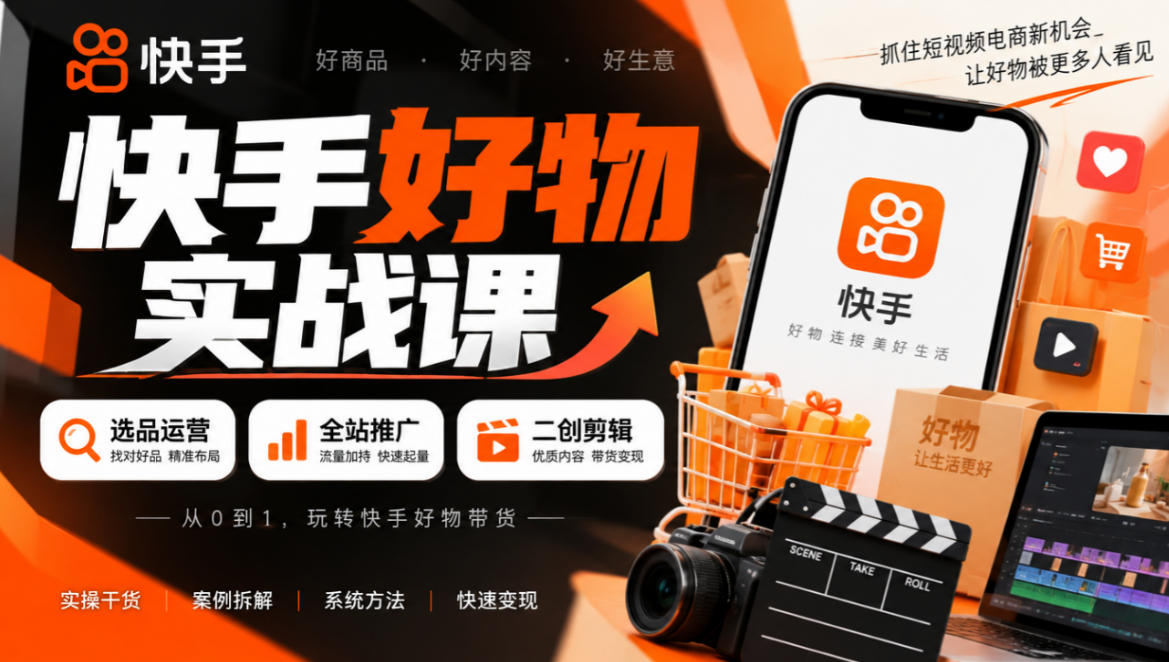
Kuaishou Good-Stuff Practical Course: Product Selection & Operations + Site-Wide Promotion + Re-Creation Editing for Affiliate Sales



Bilibili short-video product-promo dividend: free teaching plus managed operation, two playbooks, single-account seven-day income 1200-3600

Xiaohongshu electronic-resource category opening tutorial: targeted-access rules, qualification materials and the self-recommendation submission flow

Game Gold-Farming Money-Making Plan: Earn 1k+ Daily, a Stable 3-Year Project Anyone Can Do in Spare Time [Revealed]
