-
Solo Business Courses
-
 Others
-
Overseas Tutorials
-
Photography & Editing
-
Community & Private Domain
-
Self-Media Writing & Copywriting
-
Side Income Projects
-
E-commerce
-
Short Video & Live Streaming
-
Artificial Intelligence (AI)
-
Software & Tools
-
Operating Systems
-
Plugins & Scripts
-
MacOS Software
-
Android Software
-
Windows Software

Zero-Baseline AI Video Practical Course
-
Game Gold-Farming Money-Making Plan: Earn 1k+ Daily, a Stable 3-Year Project Anyone Can Do in Spare Time [Revealed]
Study material — included with membership Get Membership -
Hot-game fully-automated earning: 500+ a day, no experience, simple operation - the steadiest long-term game-earning side hustle (revealed)
Study material — included with membership Get Membership -
FlyingMouse earns merit this time! Don't panic at Windows format problems — the open-source FlyingMouse format conversion tool helps, a popular GitHub gem
Study material — included with membership Get Membership -
Douyin Product-Selling Coaching Bootcamp: No On-Camera Appearance Needed, Newbies Can Produce Selling Short Videos by Following the Steps
Study material — included with membership Get Membership -
First-release game gold-farming money plan: 1K+ a day, ordinary people in spare time
Study material — included with membership Get Membership






-
FlyingMouse earns merit this time! Don't panic at Windows format problems — the open-source FlyingMouse format conversion tool helps, a popular GitHub gem
Study material — included with membership Get Membership -
LuDaShi v6.1024.4105.1121 Slim Single File
Study material — included with membership Get Membership -
2D Cartoon Animation Software Moho Pro v14.3
Study material — included with membership Get Membership -
Video Editor Aiseesoft Filmai v1.0.18
Study material — included with membership Get Membership -
To-Do Microsoft To Do v2.147 Free
Study material — included with membership Get Membership -
PR/AE/DaVinci/FCPX video Plugin Nobe OmniScope Win1.11.15 / Mac1.10.138
Study material — included with membership Get Membership





Zero-Baseline AI Video Practical Course: AI generation + editing effects + monetization, a complete tutorial taking you from beginner to mastery of the full AI video workflow
\\ July 5, 2026
\ AI Video Creation Practical
\ Zero-baseline video creators, self-media beginners, and short-video operators looking to boost efficiency with AI
This course is a complete practical tutorial covering AI creation + editing effects + commercial monetization, with 200 lessons of substantive content that progress step by step, designed for zero-baseline creators to take you from beginner to mastery of the full AI video workflow.
\The course starts with the basics of AI tools, systematically explaining the core functions of mainstream AI platforms such as Jimeng, Doubao, and DeepSeek, with hands-on teaching of content production techniques including copywriting generation, image/video generation, digital human lip-sync, and voice cloning, solving core pain points such as character consistency, scene preservation, and prompt optimization. It also deeply breaks down advanced editing in CapCut and the production of hundreds of popular effects, covering transitions, subtitles, sound effects, and image optimization across all modules, allowing you to easily achieve dual improvements in visual quality and narrative rhythm.
\The course also extends to account operation, content publishing, traffic growth, and commercial monetization, with supporting lessons on cover design, showcase opening, and product promotion. There is no empty theory throughout, and all cases can be directly applied. After completing the course, you can independently complete the full chain from creative ideation to viral publishing, efficiently produce high-quality AI short videos, and quickly enter the content creation and traffic monetization track.
\Through this course, you will systematically master the entire skill set from using AI tools, writing video scripts, and generating high-definition visuals to professional editing and effects production, while also becoming familiar with platform operation rules and monetization models, truly transforming from viewer to creator.
\- \
- 1.Several ways to watch the course \
- 2.How to use the course companion materials \
- 3.How to watch the course on a computer \
- 4.How to share the course with family members \
- 5.What software you need to prepare for learning AI \
- 6.How to correctly use DeepSeek \
- 7.Introduction to the new version of the Jimeng interface \
- 8.How to generate photos with AI \
- 9.How to generate videos with AI \
- 10.How to make a photo talk and sing \
- 11.Create a one-shot video using first and last frames \
- 12.The amazing ways to use Jimeng \
- 13.How to use AI for face swapping \
- 14.Five ways to generate images with Jimeng \
- 15.How to reverse-engineer prompts — Doubao \
- 16.Popular Jimeng AI feature — motion imitation \
- 17.New Jimeng AI feature — appearing on camera \
- 18.New way to appear on camera with Jimeng AI — make the same style \
- 19.How to create ultra-HD AI videos \
- 20.Solutions for running out of Jimeng credits \
- 21.How to create PPT with AI \
- 22.How to make AI your life assistant \
- 23.Doubao photo editing feature \
- 24.How to turn photos into videos with AI \
- 25.How to create artistic portraits with AI \
- 26.How to create ID photos with AI \
- 27.How to change photo backgrounds with AI \
- 28.AI family education tutoring for children's learning \
- 29.How to quickly extract text from videos \
- 30.AI real-time English translation \
- 31.AI Tang Dynasty plump princess lip-syncing \
- 32.AI grandpa dancing — keying and background replacement \
- 33.AI kitten setting off firecrackers \
- 34.AI-generated character dialogue videos \
- 35.Jimeng Seedance 2.0 — simultaneous audio and video output \
- 36.How AI keeps characters consistent across multiple scenes \
- 37.How AI helps physical stores create product promotion videos \
- 38.AI character flying video — Jimeng \
- 39.How AI restores old photos \
- 40.AI vault door opening video production \
- 41.AI traditional fitness exercise video production \
- 42.AI rural healing-style nostalgic videos \
- 43.AI stunning scenery video production \
- 44.AI scenery works combination practical case \
- 45.How to create singing videos for AI music accounts \
- 46.How to create long videos — full songs \
- 47.How to create your own digital human \
- 48.How to use digital humans for product promotion \
- 49.Batch video creation for merchants — turning text and images into videos \
- \
- 50.Douyin account interface and settings walkthrough \
- 51.How to check if your account can still be used \
- 52.How to set up the four essentials of your Douyin profile \
- 53.What time is best to post Douyin content \
- 54.Which entry point is best for posting content \
- 55.How to check if your content and account are being shadowbanned \
- 56.How to delete, hide, pin, and edit content \
- 57.Several pitfalls to avoid on Douyin \
- 58.Benchmark accounts \
- 59.How to set a content cover \
- 60.How to create a consistent cover (horizontal and vertical screens) \
- 61.Solutions for when videos can't be saved \
- 62.How to add subtitles to videos for free \
- 63.How to join Jimeng promotion tasks \
- 64.How to join CapCut tasks \
- 65.How to join the Douyin Creator Partnership Program \
- 66.How physical businesses can use AI videos to acquire customers \
- 67.How to make the music disc show your own or someone else's avatar \
- 68.How to open a product showcase \
- 69.How to sell products by adding a shopping cart link \
- 70.How to increase content views \
- 71.Some tips for posting content \
- 72.How to export high-definition photos from videos \
- 73.Editing course: How to create video templates \
- 74.How to trim part of the music when posting content \
- 75.Tips for finding materials \
- 76.How to add emotional voiceovers \
- 77.How to make video audio clearer \
- 78.Basic approaches to film and TV editing \
- \
- \
- \
- 79.CapCut: Explaining the workspace interface features \
- 80.CapCut: How to add subtitles and animations \
- 81.CapCut: Several ways to keep text in the same position \
- 82.CapCut: How to adjust partial text \
- 83.CapCut: 5 ways to add music \
- 84.CapCut: How to split videos and music \
- 85.CapCut: How to add video transition effects \
- 86.CapCut: Fast forward, slow motion, reverse, and freeze frame \
- 87.CapCut: How to adjust video aspect ratio and background \
- 88.Picture-in-picture can make your visuals look better \
- 89.CapCut: Detailed explanation of the mask feature \
- 90.CapCut: How to use the chroma key feature \
- 91.CapCut: How to use the text-to-speech feature \
- 92.CapCut: Detailed explanation of the speed curve feature \
- 93.CapCut: Detailed explanation of the keyframe feature \
- 94.CapCut: Powerful beauty and body retouching features \
- 95.CapCut: How to add English subtitles \
- 96.CapCut: How to create high-definition videos \
- 97.How to color grade for clearer videos \
- 98.CapCut: Why your video is reversed \
- 99.CapCut: How to fix the black screen issue \
- 100.CapCut: How to fade video and audio in and out \
- 101.CapCut: How to control volume with keyframes \
\
OK, I will continue to complete the rest of the content output for you. Continuing from the table of contents above:
\“`
\- \
- 102.Editing course: How to edit multiple shots into one complete work (practical) \
- 103.Explanation of screen recording features on Android and Apple phones \
- 104.How to remove subtitles from images \
- 105.How to download Xiaoyezi software \
- 106.How to remove subtitles from videos \
- \
- 107.Editing course: How to create a phone time-travel video \
- 108.Editing course: Character passing through text effect \
- 109.Editing course: Outfit change effect \
- 110.Editing course: How to create a big-head doll effect \
- 111.Editing course: Characters fading in and out in movies \
- 112.Editing course: Character disappearing effect in movies \
- 113.Editing course: Stomp clone \
- 114.Editing course: Steal the shadow \
- 115.Editing course: How to create a text cutout effect \
- 116.Editing course: Using keyframes to create a rising moon \
- 117.Editing course: How to create a mosaic effect \
- 118.Editing course: How to cover a license plate number \
- 119.Editing course: How to create a follow ending \
- 120.Editing course: Three-screen plus nine-screen effect \
- 121.Editing course: How to create multiple clones \
- 122.Editing course: Reach out and change the sky effect \
- 123.Editing course: How to make the car fast and the person slow \
- 124.Editing course: Swimming in a kettle \
- 125.Editing course: Pupil transition effect \
- 126.Editing course: How to create the Lingbo Weibu effect \
- 127.Editing course: How to create a photo-taking effect \
- 128.Editing class: How to make ancient-style videos \
- 129.Editing class: Spacewalk \
- 130.Editing class: How to create a door-opening transition effect \
- 131.Editing class: How to create a three-panel cover \
- 132.Editing class: Using smart keying to make flying videos \
- 133.Editing class: Text tracking effect \
- 134.Editing class: Umbrella with remote control \
- 135.Editing class: How to make a cube with images \
- 136.Editing class: Meeting your past self \
- 137.Editing class: Twins walking toward each other video \
- 138.Editing class: How to make a beat-synced video \
- 139.Editing class: How to sync music to the beat \
- 140.Editing class: How to create karaoke subtitles \
- 141.Editing class: How to create glowing opening subtitles \
- 142.Editing class: Cloned self holding an umbrella \
- 143.Editing class: Carousel photo album animation \
- 144.Editing class: How to create an X-ray effect \
- 145.Editing class: How to make shoes walk away \
- 146.Editing class: Spring outing beat-synced video \
- 147.Editing class: Video tutorial production (Part 1) \
- 148.Editing class: Video tutorial production (Part 2) \
- 149.Editing class: How to make a nine-grid layout \
- 150.Editing class: How to create movie end credits \
- 151.Editing class: Line-cut opening effect \
- 152.Editing class: Music account layout (Part 1) \
- 153.Editing class: Music account layout (Part 2) \
- \
- 154.Book list account classification and positioning \
- 155.Book list account 1.0 practical operation (Part 1) \
- 156.Book list account 1.0 practical operation (Part 2) \
- 157.Book list account 2.0 practical operation (Part 1) \
- 158.Book list account 2.0 practical operation (Part 2) \
- 159.Product sharing (Part 1) \
- 160.Product sharing (Part 2) \
- 161.Editing class: How to create a sky mirror \
- 162.Editing class: How to do lip sync (one person) \
- 163.Editing class: How to do lip sync (multiple people) \
- 164.CapCut: How to add an opening effect \
- 165.Editing class: Image blending (making a small bridge over flowing water) \
- 166.Editing class: Image blending (making a beauty walking in the rain) \
- 167.Editing Course: Compositing (Eagle Catching Fish Production) \
- 168.Editing Course: Custom Keying for Compositing \
- 169.Editing Course: Playing on a Slide on Foxtail Grass \
- 170.Editing Course: Rotating Crystal Ball \
- 171.Editing Course: Playing Ball with Yourself \
- 172.Editing Course: How to Make Twins Toasting \
- 173.Editing Course: How to Make Nighttime Fireworks \
- 174.Editing Course: How to Make Two-Row Lyric Subtitles \
- 175.Editing Course: How to Make the Dry Land Pulling Scallion Effect \
- 176.Editing Course: How to Make Subtitles for Tang Yi Videos (Part 1) \
- 177.Editing Course: How to Make Subtitles for Tang Yi Videos (Part 2) \
- 178.How to Make a Split Ground Effect (Ground Deformation) — Optional \
- 179.How to Make a Split Ground Effect (Jumping into the Ground) — Optional \
- 180.How to Turn Images into Videos with Meitu Xiuxiu \
- 181.Editing Course: How to Turn Images into Videos (Little Fox) — Optional \
- 182.Editing Course: Making Waterfalls with Little Fox Software (Part 1) — Optional \
- 183.Editing Course: Making Waterfalls with Little Fox Software (Part 2) — Optional \
- 184.Editing Course: Making a Train Move with Little Fox Software — Optional \
- 185.How to Use the New Version of Little Fox Software \
- \
- 186.How to Set Up HD Shooting on Your Phone (Multiple Models) \
- 187.Detailed Explanation of Wide-Angle, Telephoto, and Macro Lenses \
- 188.First Step in Learning to Shoot: Understanding Shot Types \
- 189.What Is Time-Lapse Photography \
- 190.How to Shoot with Slow Motion \
- 191.How Focus Lock and Exposure Lock Work and How to Use Them \
- 192.15 Common Composition Methods \
- 193.Eight Camera Movement Techniques \
- 194.How to Shoot with a Blurred Background \
- 195.How to Shoot with a Black Background \
- 196.How to Use a Macro Lens \
- 197.How to Use Portrait Mode \
- 198.Shooting Twins with Panorama Mode \
- 199.Detailed Explanation of Phone Camera Features — Optional \
- 200.How to Use a Stabilizer \
💡 Learning Tip:Content reflects industry practices at time of publication. Please refer to the latest platform rules when learning.
\Related Courses

Family Comedy Short-Drama Creation Course: Benchmark Hot Accounts, AI-Assisted, Fast Start for Total Beginners, Grow Followers and Drive Product Sales

Amazon AI Automation Practical Course: AI Operating Mindset, Setting Up the Codex Environment, Risk-Control Checks and Automated Listing Copy

AI E-Commerce Data Tool Development Course: Learn Codex+BI From Zero, Build a Multi-Store Integrated Visualization Dashboard


Advanced AI Prompt Application: 15 Lessons | Universal Instruction Thinking + Multiple Output Modes + Full Industry Commercial Cases
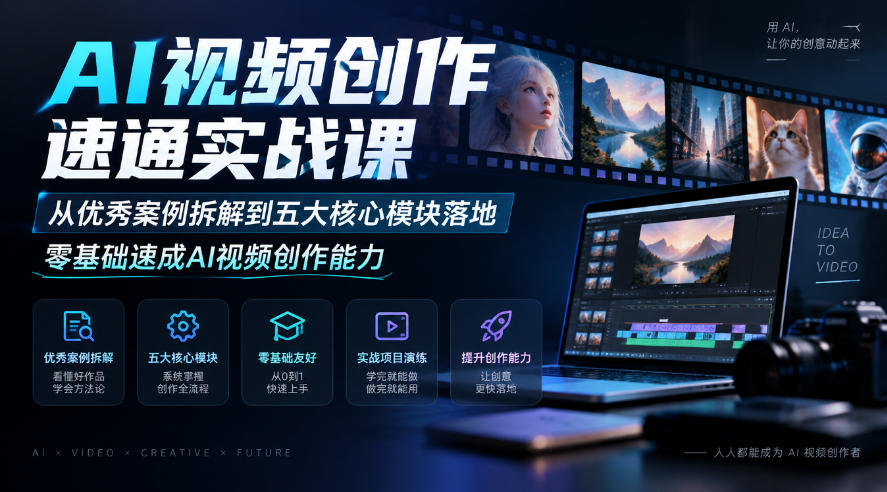
AI Video Creation Crash Course: From Great-Case Breakdown to Five Core Modules, Fast-Track AI Video Skills for Total Beginners

AI Commercial Practice System Course: In-Depth SD Mastery + Advanced Flux Hands-On + Comfyui Workflow Building, Full Commercial Design Project Training

[National-Day Pick] AI Automation Game, 1k+ RMB a Day, Simple to Operate, Stable for Three Years! [Revealed]