


-
Solo Business Courses
-
 Others
-
Overseas Tutorials
-
Photography & Editing
-
Community & Private Domain
-
Self-Media Writing & Copywriting
-
Side Income Projects
-
E-commerce
-
Short Video & Live Streaming
-
Artificial Intelligence (AI)
-
Software & Tools
-
Operating Systems
-
Plugins & Scripts
-
MacOS Software
-
Android Software
-
Windows Software
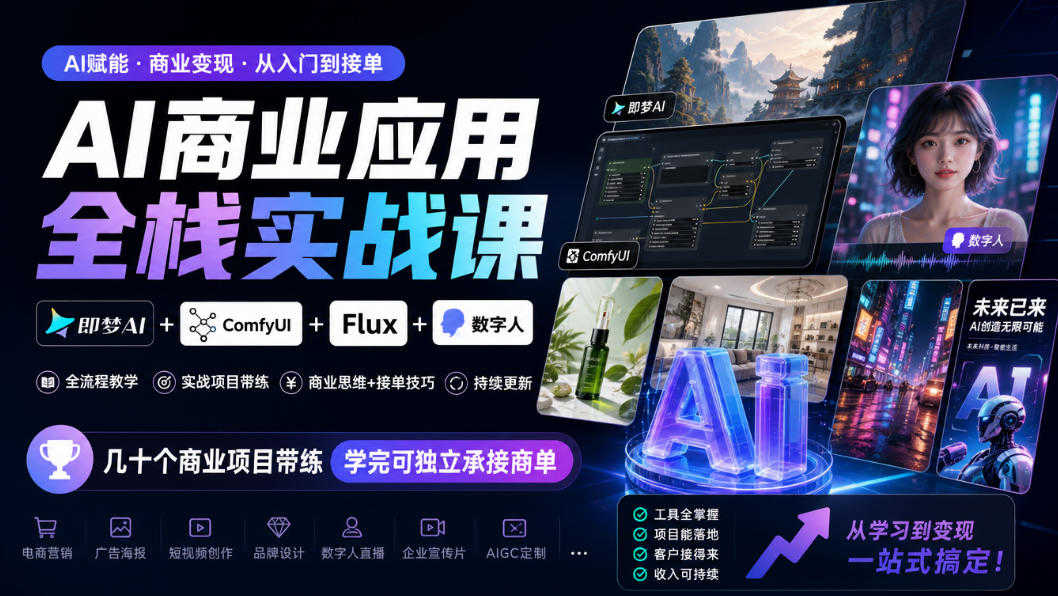
AI Business Application Full-Stack Practical Course
-
Game Gold-Farming Money-Making Plan: Earn 1k+ Daily, a Stable 3-Year Project Anyone Can Do in Spare Time [Revealed]
Study material — included with membership Get Membership -
Hot-game fully-automated earning: 500+ a day, no experience, simple operation - the steadiest long-term game-earning side hustle (revealed)
Study material — included with membership Get Membership -
FlyingMouse earns merit this time! Don't panic at Windows format problems — the open-source FlyingMouse format conversion tool helps, a popular GitHub gem
Study material — included with membership Get Membership -
Douyin Product-Selling Coaching Bootcamp: No On-Camera Appearance Needed, Newbies Can Produce Selling Short Videos by Following the Steps
Study material — included with membership Get Membership -
First-release game gold-farming money plan: 1K+ a day, ordinary people in spare time
Study material — included with membership Get Membership






-
FlyingMouse earns merit this time! Don't panic at Windows format problems — the open-source FlyingMouse format conversion tool helps, a popular GitHub gem
Study material — included with membership Get Membership -
LuDaShi v6.1024.4105.1121 Slim Single File
Study material — included with membership Get Membership -
2D Cartoon Animation Software Moho Pro v14.3
Study material — included with membership Get Membership -
Video Editor Aiseesoft Filmai v1.0.18
Study material — included with membership Get Membership -
To-Do Microsoft To Do v2.147 Free
Study material — included with membership Get Membership -
PR/AE/DaVinci/FCPX video Plugin Nobe OmniScope Win1.11.15 / Mac1.10.138
Study material — included with membership Get Membership





This course comes from Teacher Xuanxuan's AI Business Application Full-Stack Practical Course. Its main content covers Jimeng AI text-to-image and video creation, ComfyUI/Flux local and cloud advanced workflows, Qwen large model image editing, DeepSeek core applications, AI voice cloning and digital humans, CapCut commercial editing, and other modules. Through dozens of real projects such as e-commerce cutout and background replacement, AI models, old photo restoration, and promotional short videos, guided practice is provided, with accompanying courseware synchronized and updated with the latest model practice in 2026.
The course is organized into three stages: basics, improvement, and practice, suitable for gradually transitioning from tool introduction to commercial project delivery. Learners can build a complete workflow around prompt design, workflow setup, parameter tuning, image editing, video generation, and final video editing, and accumulate reusable project experience in scenarios such as e-commerce visuals, commercial design, short videos, and promotional films. After completing the course, you can try to independently undertake full-process projects in commercial design, e-commerce visuals, short videos, and promotional films.
- 1.Jimeng AI Basics and Advanced Text-to-Image Prompts
- 2.Jimeng AI Practice: Comprehensive Theme Poster Design
- 3.Jimeng AI Practice: Canvas Editing and Image Post-Processing
- 4.Jimeng AI Practice: Comprehensive Application of Smart Reference & Style Transfer
- 5.Jimeng AI Photography Practice: Character Consistency Control
- 6.Jimeng AI Video Practice: Creative Travel Vlog Short Video
- 7.Jimeng AI Video Practice: E-commerce Product Marketing Video
- 8.Jimeng AI Video Practice: Product Clothing Model On-Body Marketing Video
- 📎 Accompanying Courseware
- 1.AI Project Practice: Multi-Type Creative Fridge Magnet Design
- 2.AI Project Practice: Multi-Style Phone Case Pattern Design
- 3.AI Project Practice: Game Texture Pattern Set Design
- 4.AI Project Practice: T-Shirt Pattern Set Design
- 5.AI Project Practice: Poster Set Design Guidance
- 6.AI Project Practice: Tech-Style City Video Template Creation
- 7.AI Project Practice: Indoor Home Decoration Video Template Creation
- 8.AI Project Practice: Fairy Tale Town Video Template Creation
- 9.AI Novel Promo Video Creation Project Practice
- 10.AI Creative Animated Short Film Creation Project Practice
- 📎 Accompanying Courseware
- 1.ComfyUI Introduction: Local Deployment and Interface Analysis
- 2.Cloud creation powerhouse: full operations of RunningHub online version
- 3.ComfyUI text-to-image workflow setup and key node details
- 4.ComfyUI text-to-image workflow drawing parameter details
- 5.Precise prompt design: from basic instructions to visual style customization
- 6.Model website usage: downloading massive models and parameter tuning
- 7.ComfyUI image control: LoRA model combination usage techniques
- 8.ComfyUI common error analysis & universal error solutions
- 9.ComfyUI image-to-image workflow and online prompt reverse engineering
- 10.ComfyUI extension plugin installation and usage details
- 11.Foreign model Flux text-to-image model details
- 12.Flux outfit change workflow and parameter tuning full analysis
- 📎 Accompanying Courseware
- 1.ComfyUI e-commerce practice: one-click cutout_batch cutout to get white background images
- 2.ComfyUI e-commerce practice: product background replacement (part 1)
- 3.ComfyUI e-commerce practice: product background replacement (part 2)
- 4.ComfyUI e-commerce practice: freely pair products with AI models
- 5.ComfyUI e-commerce practice: 360-degree rotating product display
- 6.ComfyUI photography practice: cute pet group photo fun portraits
- 7.ComfyUI photography practice: fantasy background creative portraits
- 8.Kontext photography practice: one-click old photo restoration
- 9.Kontext multi-function image editing project practice
- 10.Alibaba Wanxiang Wan2.2: AI video creation practice
- 11.ComfyUI text-to-video workflow project practice
- 12.ComfyUI image-to-video workflow project practice
- 13.ComfyUI first-last frame video workflow project practice
- 14.ComfyUI video-to-video workflow project practice
- 📎 Accompanying Courseware
- 1.Qwen image model installation and text-to-image basics
- 2.Qwen image image-to-image and multi-type control practice
- 3.Qwen-edit image editing advanced practice (part 1)
- 4.Qwen-edit image editing advanced practice (part 2)
- 5.Qwen-edit commercial application e-commerce project practice (01)
- 6.Qwen-edit commercial application e-commerce project practice (02)
- 7.Qwen edit commercial application e-commerce project practice (03)
- 8.Qwen edit commercial application e-commerce project practice (04)
- 9.Qwen edit commercial application e-commerce project practice (05)
- 10.Qwen edit commercial application e-commerce project practice (06)
- 📎 Accompanying Courseware
- 1.DeepSeek zero-basics introduction: core functions and multi-mode generation
- 2.DeepSeek basic instruction techniques: precise questioning and multi-turn dialogue
- 3.DeepSeek Prompt Advanced: Efficient Questioning and Optimization
- 4.DeepSeek Multi-Scenario Application in Practice (Part 1)
- 5.DeepSeek Multi-Scenario Application in Practice (Part 2)
- 6.DeepSeek API Key Retrieval and Invocation Full Workflow
- 📎 Accompanying Courseware
- 1.Voice Design: Qwen3-TTS Precise Voice Customization
- 2.Voice Cloning Technology: Indextts2 Local Deployment and Single-Person Voice Cloning
- 3.Voice Cloning Technology: Indextts2 Emotion Reference and Multi-Person Voice Cloning
- 4.AI Music Creation: SunoV5 Multi-Style Music Generation in Practice
- 5.LTX2.3 Open-Source Video: ComfyUI Image-to-Video Application in Practice
- 6.LTX2.3 Open-Source Video: ComfyUI First-Last Frame Video Application in Practice
- 7.AI Digital Humans: LTX2.3 Digital Human Lip-Sync Technology
- 8.AI E-Commerce Product Promotion Digital Human Video Comprehensive Practice
- 📎 Accompanying Courseware
- 1.Editing Foundations and AI Music MV in Practice (Part 1)
- 2.Editing Foundations and AI Music MV in Practice (Part 2)
- 3.Editing Foundations and AI Music MV in Practice (Part 3)
- 4.Intelligent Diverse Lyric Subtitle Creation (Part 1)
- 5.Intelligent Diverse Lyric Subtitle Creation (Part 2)
- 6.Transition Magic AI Product Commercial Production
- 7.Speed-Ramp Beat-Sync Editing High-Energy Film and TV Mashup (Part 1)
- 8.Speed-Ramp Beat-Sync Editing High-Energy Film and TV Mashup (Part 2)
- 9.Light and Shadow Color Grading Editing Healing Short Film
- 10.Keyframe Animation Mastering City Promotional Videos
- 11.Sound Effect Atmosphere Creation Explosive Film and TV Commentary
- 12.Mask Compositing Advanced AI Travel Film Blockbuster
- 13.Digital Human Practice Creating AI Short Videos
- 14.Advanced Comprehensive Editing Techniques in Practice
- 📎 Accompanying Courseware
- 1.AI Commercial Promotional Video Full Workflow Hands-On Practice
- 2.AI Video Model MiniMaxH3 Advanced Technical Application in Practice
- 3.Qwen_edit One-Sentence Editing Workflow Advanced Practice
- 4.From Requirements to Final Cut: MiniMaxH3 Product Promotion Video Full Workflow in Practice
- 5.Ultra-High Cost-Performance AI Video Model: MiniMaxH3 Workflow Setup Hands-On Practice
- 6.AI Short Drama Repainting Project Technical Guidance in Practice
- 7.AI Drawing Basic Image Knowledge Systematic Overview
- 8.Prompt Demonstration and Application
- 9.Jimeng AI Fridge Magnet & Phone Case Order Taking Hands-On Practice
- 10.AI Video Project in Practice: E-Commerce Product Commercial (Part 1)
- 11.AI Video Project in Practice: Product Commercial Video Order Taking Hands-On Practice (Part 2)
Related Courses

Family Comedy Short-Drama Creation Course: Benchmark Hot Accounts, AI-Assisted, Fast Start for Total Beginners, Grow Followers and Drive Product Sales

Amazon AI Automation Practical Course: AI Operating Mindset, Setting Up the Codex Environment, Risk-Control Checks and Automated Listing Copy

AI E-Commerce Data Tool Development Course: Learn Codex+BI From Zero, Build a Multi-Store Integrated Visualization Dashboard


Advanced AI Prompt Application: 15 Lessons | Universal Instruction Thinking + Multiple Output Modes + Full Industry Commercial Cases

AI Video Creation Crash Course: From Great-Case Breakdown to Five Core Modules, Fast-Track AI Video Skills for Total Beginners

AI Commercial Practice System Course: In-Depth SD Mastery + Advanced Flux Hands-On + Comfyui Workflow Building, Full Commercial Design Project Training

[National-Day Pick] AI Automation Game, 1k+ RMB a Day, Simple to Operate, Stable for Three Years! [Revealed]



