


-
Solo Business Courses
-
 Others
-
Overseas Tutorials
-
Photography & Editing
-
Community & Private Domain
-
Self-Media Writing & Copywriting
-
Side Income Projects
-
E-commerce
-
Short Video & Live Streaming
-
Artificial Intelligence (AI)
-
Software & Tools
-
Operating Systems
-
Plugins & Scripts
-
MacOS Software
-
Android Software
-
Windows Software
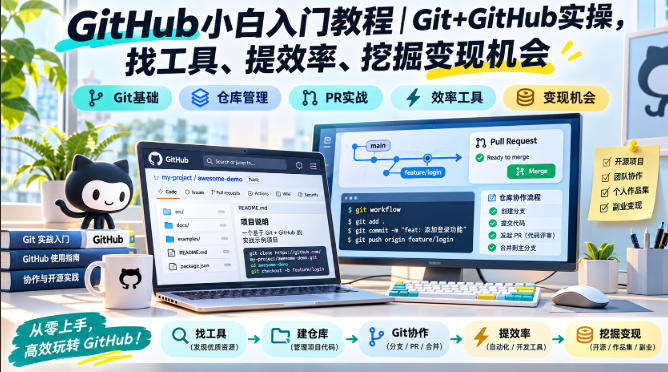
Practical introductory tutorial to GitHub for beginners
-
Game Gold-Farming Money-Making Plan: Earn 1k+ Daily, a Stable 3-Year Project Anyone Can Do in Spare Time [Revealed]
Study material — included with membership Get Membership -
Hot-game fully-automated earning: 500+ a day, no experience, simple operation - the steadiest long-term game-earning side hustle (revealed)
Study material — included with membership Get Membership -
FlyingMouse earns merit this time! Don't panic at Windows format problems — the open-source FlyingMouse format conversion tool helps, a popular GitHub gem
Study material — included with membership Get Membership -
Douyin Product-Selling Coaching Bootcamp: No On-Camera Appearance Needed, Newbies Can Produce Selling Short Videos by Following the Steps
Study material — included with membership Get Membership -
First-release game gold-farming money plan: 1K+ a day, ordinary people in spare time
Study material — included with membership Get Membership






-
FlyingMouse earns merit this time! Don't panic at Windows format problems — the open-source FlyingMouse format conversion tool helps, a popular GitHub gem
Study material — included with membership Get Membership -
LuDaShi v6.1024.4105.1121 Slim Single File
Study material — included with membership Get Membership -
2D Cartoon Animation Software Moho Pro v14.3
Study material — included with membership Get Membership -
Video Editor Aiseesoft Filmai v1.0.18
Study material — included with membership Get Membership -
To-Do Microsoft To Do v2.147 Free
Study material — included with membership Get Membership -
PR/AE/DaVinci/FCPX video Plugin Nobe OmniScope Win1.11.15 / Mac1.10.138
Study material — included with membership Get Membership





Course Introduction
This GitHub beginner tutorial is a refined and compact systematic hands-on course on Git+GitHub. Even absolute beginners can get started. The course consists of 19 videos that guide you step by step to master core version control capabilities, learn to use GitHub to find high-quality open-source tools, improve work efficiency, and uncover monetization opportunities in the open-source ecosystem.
The course starts with Git installation and configuration, explaining local Git basic commands such as creating a new repository, workspace and file status, file adding and committing, version rollback, diff comparison, file deletion, and gitignore ignore rules, laying a solid foundation for version management. It then explains GitHub account registration, key configuration, repository cloning, and linking local and remote repositories; it also covers Gitee usage and GitLab local deployment, adapting to domestic hosting platforms.
To lower the learning threshold, the course introduces GUI visualization tools and VS Code built-in Git operations; it focuses on breaking down branch operations, merge conflict handling, rebase, branch management, and standard workflows, solving common pain points in team collaboration. The entire course features hands-on demonstrations, downplaying obscure theory to help beginners quickly understand version control logic.
Learning Git and GitHub not only helps manage code, documents, and project materials, but also enables independent searching of massive open-source projects and tools, reusing mature solutions, and reducing repetitive development. It is suitable for programming beginners, AI tool enthusiasts, self-media creators, and side-business entrepreneurs to learn open-source resource retrieval and project collaboration, and use the open-source ecosystem to improve efficiency and increase income.
For zero-foundation students, it is recommended to study in the order of installation and configuration, local repository, remote collaboration, and branch workflow, and to practice hands-on after each lesson, matching commands with visual operations. After mastering Git and GitHub, you can not only manage code, documents, and project materials, but also search open-source tools and scripts, reuse mature solutions, and reduce repetitive work. During learning, pay attention to commit habits, branch specifications, and conflict handling, and gradually form a collaboration process suitable for individuals or teams. Open-source monetization opportunities need to be researched and tested according to your own situation, and it is not advisable to rush for quick results.
Note: The course is skills teaching. Open-source monetization opportunities need to be researched and implemented on your own, and income is not guaranteed.
Suitable For
- Beginners with zero foundation in Git and GitHub who want to get started with version control
- AI enthusiasts and side-business players who want to find open-source tools, scripts, and projects on GitHub
- Self-taught programmers and students who need to master the basics of Git collaboration
- Self-media creators and independent creators who want to manage documents, materials, and project versions
- Learners who want to learn Gitee and GitLab to adapt to domestic code hosting platforms
Learner takeaways
- Proficiently master basic Git commands and independently complete local version management and version rollback
- Learn GitHub account configuration, repository cloning, and linking local and remote repositories
- Master Gitee usage and GitLab localized deployment solutions
- Use GUI tools and VS Code visual Git operations to get rid of pure command-line pressure
- Master branch management, conflict resolution, rebase, and team standard workflows
- Learn to search open-source projects, use open-source tools to boost efficiency, and uncover project opportunities
Course Catalog
- 1.Course Introduction
- 2.Git installation and configuration
- 3.Create a new repository
- 4.Working area and file status
- 5.Add and commit files
- 6.git reset to roll back versions
- 7.git diff to view differences
- 8.Use git rm to delete files
- 9.gitignore to ignore files
- 10.Register a GitHub account
- 11.Key configuration and cloning repositories
- 12.Link local repositories with remote repositories
- 13.Gitee usage and GitLab localized deployment
- 14.GUI tools
- 15.Using Git in VSCode
- 16.Branch introduction and basic operations
- 17.Resolve merge conflicts
- 18.Rollback and rebase
- 19.Branch management and workflow models
GitHub beginner tutorial! Full hands-on Git + GitHub set, 19 videos, basic commands, branch conflicts, VS Code visual operations, also covers Gitee and GitLab, teaches you to search open-source tools, boost efficiency, and uncover monetization opportunities.
Related Courses

Family Comedy Short-Drama Creation Course: Benchmark Hot Accounts, AI-Assisted, Fast Start for Total Beginners, Grow Followers and Drive Product Sales

Amazon AI Automation Practical Course: AI Operating Mindset, Setting Up the Codex Environment, Risk-Control Checks and Automated Listing Copy

AI E-Commerce Data Tool Development Course: Learn Codex+BI From Zero, Build a Multi-Store Integrated Visualization Dashboard


Advanced AI Prompt Application: 15 Lessons | Universal Instruction Thinking + Multiple Output Modes + Full Industry Commercial Cases

AI Video Creation Crash Course: From Great-Case Breakdown to Five Core Modules, Fast-Track AI Video Skills for Total Beginners

AI Commercial Practice System Course: In-Depth SD Mastery + Advanced Flux Hands-On + Comfyui Workflow Building, Full Commercial Design Project Training

[National-Day Pick] AI Automation Game, 1k+ RMB a Day, Simple to Operate, Stable for Three Years! [Revealed]



