


-
Solo Business Courses
-
 Others
-
Overseas Tutorials
-
Photography & Editing
-
Community & Private Domain
-
Self-Media Writing & Copywriting
-
Side Income Projects
-
E-commerce
-
Short Video & Live Streaming
-
Artificial Intelligence (AI)
-
Software & Tools
-
Operating Systems
-
Plugins & Scripts
-
MacOS Software
-
Android Software
-
Windows Software
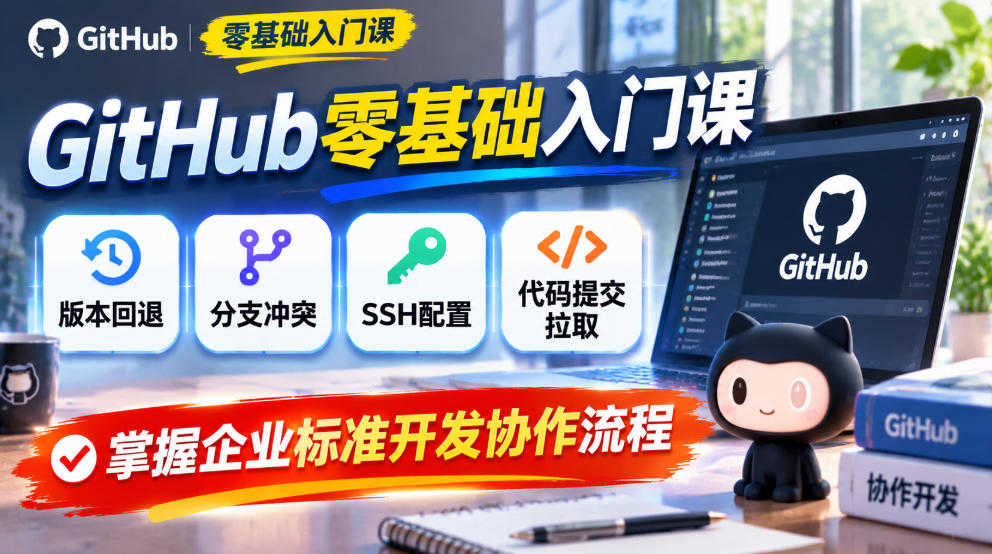
GitHub Zero-Basics Practical Introductory Tutorial
-
Game Gold-Farming Money-Making Plan: Earn 1k+ Daily, a Stable 3-Year Project Anyone Can Do in Spare Time [Revealed]
Study material — included with membership Get Membership -
Hot-game fully-automated earning: 500+ a day, no experience, simple operation - the steadiest long-term game-earning side hustle (revealed)
Study material — included with membership Get Membership -
FlyingMouse earns merit this time! Don't panic at Windows format problems — the open-source FlyingMouse format conversion tool helps, a popular GitHub gem
Study material — included with membership Get Membership -
Douyin Product-Selling Coaching Bootcamp: No On-Camera Appearance Needed, Newbies Can Produce Selling Short Videos by Following the Steps
Study material — included with membership Get Membership -
First-release game gold-farming money plan: 1K+ a day, ordinary people in spare time
Study material — included with membership Get Membership






-
FlyingMouse earns merit this time! Don't panic at Windows format problems — the open-source FlyingMouse format conversion tool helps, a popular GitHub gem
Study material — included with membership Get Membership -
LuDaShi v6.1024.4105.1121 Slim Single File
Study material — included with membership Get Membership -
2D Cartoon Animation Software Moho Pro v14.3
Study material — included with membership Get Membership -
Video Editor Aiseesoft Filmai v1.0.18
Study material — included with membership Get Membership -
To-Do Microsoft To Do v2.147 Free
Study material — included with membership Get Membership -
PR/AE/DaVinci/FCPX video Plugin Nobe OmniScope Win1.11.15 / Mac1.10.138
Study material — included with membership Get Membership





Course Introduction
Many AI developers and self-taught programmers worry about making mistakes when modifying code, causing changes to break the project and be unrecoverable; during multi-person collaboration, files get chaotic and code gets lost. Git and GitHub are the core tools to solve these problems. This course starts from Git basics and gradually takes you through version management, gets you started with GitHub remote repositories, and completes the full process from local archiving to online collaboration.
The course has 22 lessons in total. First, solidify Git local fundamentals: start with Git basic concepts, version creation and rollback, clarify the logic of the working area and staging area, and practice high-frequency operations such as modification management, undoing changes, file comparison, and file deletion; then dive into the branch system, learn branch creation and merging, master conflict resolution, understand branch management strategies and bug branch handling solutions, and thoroughly grasp the core ideas of branch development.
After mastering local fundamentals, move on to GitHub hands-on practice: step-by-step teach you to create remote repositories, configure SSH passwordless login, clone projects, push code, track remote branches, pull updated code, and finally implement real workplace development workflows. The course is entirely practice-oriented, avoiding obscure theory, with demonstrations for every knowledge point. After learning, you can archive projects at any time, roll back versions with one click, collaboratively develop code with others, and securely host your AI projects online.
The course is suitable for independent AI developers, zero-basics self-taught programmers, those doing small products as a side business, and learners who want to standardize code management. After learning this skill set, you will no longer fear breaking projects, and it is also an essential underlying capability for launching SaaS, mini-programs, and AI applications.
The course runs through every knowledge point with hands-on operations, progressing step by step from local version management to remote repository collaboration, helping learners build code management habits that are rollback-capable, traceable, and collaborative. During learning, you can follow the demonstrations and practice committing, undoing, branch merging, and remote synchronization in your own projects, placing easily confused concepts into real operations for understanding. After completing the course, you will be more confident when facing scenarios such as project error correction, multi-person collaboration, and code hosting, and it will also lay a solid engineering collaboration foundation for subsequently developing AI applications, mini programs, or SaaS products.
Course Catalog
- 1.Introduction to Git
- 2.Git version creation
- 3.Git version rollback
- 4.Git workspace and staging area
- 5.Git managing modifications
- 6.Git undoing modifications
- 7.Git comparing file differences
- 8.Git deleting files
- 9.Summary of basic Git operations
- 10.Supplementary: deleting files
- 11.Basic Git branch operations
- 12.Resolving conflicts with Git branches
- 13.Git branch management strategies
- 14.Git bug branches
- 15.Git branch summary
- 16.Creating a GitHub repository
- 17.Adding an SSH account to GitHub
- 18.Cloning a GitHub project
- 19.Pushing code to GitHub
- 20.Tracking remotes in GitHub
- 21.Pulling code from GitHub
- 22.Work usage workflow
Related Courses

Family Comedy Short-Drama Creation Course: Benchmark Hot Accounts, AI-Assisted, Fast Start for Total Beginners, Grow Followers and Drive Product Sales

Amazon AI Automation Practical Course: AI Operating Mindset, Setting Up the Codex Environment, Risk-Control Checks and Automated Listing Copy

AI E-Commerce Data Tool Development Course: Learn Codex+BI From Zero, Build a Multi-Store Integrated Visualization Dashboard


Advanced AI Prompt Application: 15 Lessons | Universal Instruction Thinking + Multiple Output Modes + Full Industry Commercial Cases

AI Video Creation Crash Course: From Great-Case Breakdown to Five Core Modules, Fast-Track AI Video Skills for Total Beginners

AI Commercial Practice System Course: In-Depth SD Mastery + Advanced Flux Hands-On + Comfyui Workflow Building, Full Commercial Design Project Training

[National-Day Pick] AI Automation Game, 1k+ RMB a Day, Simple to Operate, Stable for Three Years! [Revealed]



