


-
Solo Business Courses
-
 Others
-
Overseas Tutorials
-
Photography & Editing
-
Community & Private Domain
-
Self-Media Writing & Copywriting
-
Side Income Projects
-
E-commerce
-
Short Video & Live Streaming
-
Artificial Intelligence (AI)
-
Software & Tools
-
Operating Systems
-
Plugins & Scripts
-
MacOS Software
-
Android Software
-
Windows Software

Personal IP Video Production: Brother Cai's Premium-Feel Editing + Traffic-Mindset Course
-
Game Gold-Farming Money-Making Plan: Earn 1k+ Daily, a Stable 3-Year Project Anyone Can Do in Spare Time [Revealed]
Study material — included with membership Get Membership -
Hot-game fully-automated earning: 500+ a day, no experience, simple operation - the steadiest long-term game-earning side hustle (revealed)
Study material — included with membership Get Membership -
FlyingMouse earns merit this time! Don't panic at Windows format problems — the open-source FlyingMouse format conversion tool helps, a popular GitHub gem
Study material — included with membership Get Membership -
Douyin Product-Selling Coaching Bootcamp: No On-Camera Appearance Needed, Newbies Can Produce Selling Short Videos by Following the Steps
Study material — included with membership Get Membership -
First-release game gold-farming money plan: 1K+ a day, ordinary people in spare time
Study material — included with membership Get Membership






-
FlyingMouse earns merit this time! Don't panic at Windows format problems — the open-source FlyingMouse format conversion tool helps, a popular GitHub gem
Study material — included with membership Get Membership -
LuDaShi v6.1024.4105.1121 Slim Single File
Study material — included with membership Get Membership -
2D Cartoon Animation Software Moho Pro v14.3
Study material — included with membership Get Membership -
Video Editor Aiseesoft Filmai v1.0.18
Study material — included with membership Get Membership -
To-Do Microsoft To Do v2.147 Free
Study material — included with membership Get Membership -
PR/AE/DaVinci/FCPX video Plugin Nobe OmniScope Win1.11.15 / Mac1.10.138
Study material — included with membership Get Membership





Course outline:
\Getting Started
–. II. Newbie Basics Course – a 15-minute fast start, suitable for beginners.
Core Instruction
–. I. Core IP Editing Course – an in-depth look at editing techniques, offering advanced paths for experts.
–. VII. IP Editing Formula – a unified formula applicable to editing work across various online platforms.
Enhanced Techniques
–. III. Text Templates – learn how to use text templates to enhance the premium feel of IP.
–. IV. Animation & Sound Effect Templates.
– V. IP Editing in Practice – hands-on teaching, showcasing editing insights and techniques throughout.
– VI. Theoretical Thinking – starting from basic theory, exploring the underlying logic and essence of editing.
Additional Resources
– Updated Files – providing the latest industry methods and technical updates.
– Materials – providing various materials to support hands-on practice and learning.
Teaching Method
– Desktop / Mobile – the course supports learning on both computers and mobile devices, adapting to different user needs.
Course Features
– Easy to Understand & SOP-Based.
– Extremely Fine-Grained.
– Point-Line-Plane Teaching Content.
– Strong Hands-On Immersion.
Related Courses
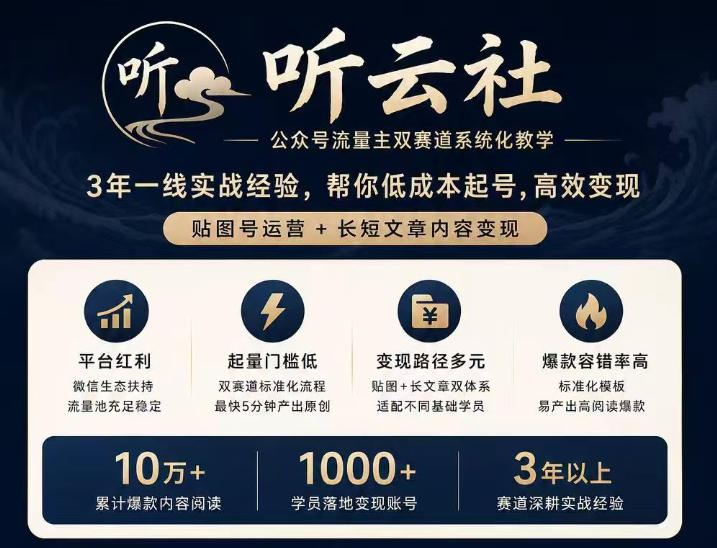
Tingyunshe official-account traffic-master dual-track systematic teaching: 3 years of frontline practice, low-cost account start and efficient monetization



TikTok Southeast Asia cross-border store practice course: market research, onboarding, product selection, listing, shipping and payment collection

Personal IP + private-domain monetization club: a personal-IP practice course to build the commercial loop of your own IP

Taobao Wanxiangtai Wujie systematic practice course: backend feature breakdown, delivery logic analysis, lowering cost and raising ROI
Tao operations 21-day crash camp: zero-basis easy Taobao operations, no empty gestures, fast replicable landing (updated Aug 2026)

Taobao Flash-Purchase, 20 yuan per order: no strong account base, no complex operation skills - beginners can enter directly


Latest August technique: register 5 Douyin accounts with one phone number - a must for matrix operation, test it if you need it
