


-
Solo Business Courses
-
 Others
-
Overseas Tutorials
-
Photography & Editing
-
Community & Private Domain
-
Self-Media Writing & Copywriting
-
Side Income Projects
-
E-commerce
-
Short Video & Live Streaming
-
Artificial Intelligence (AI)
-
Software & Tools
-
Operating Systems
-
Plugins & Scripts
-
MacOS Software
-
Android Software
-
Windows Software
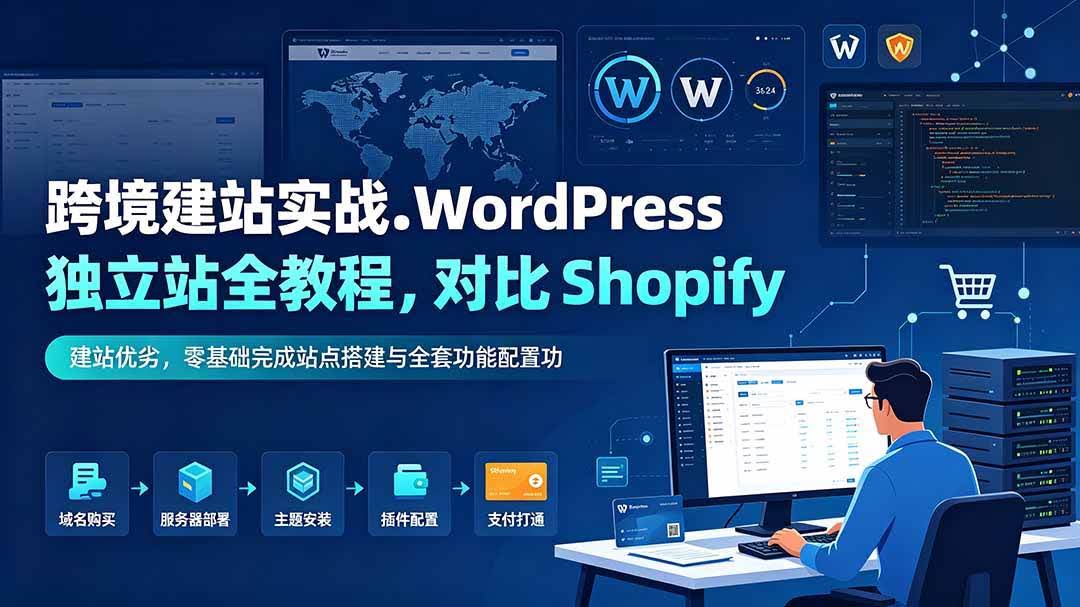
Cross-Border Site Building Practical: Full WordPress Independent-Site Tutorial, Compare Shopify Pros/Cons, Build Site and Configure All Features from Zero
-
Game Gold-Farming Money-Making Plan: Earn 1k+ Daily, a Stable 3-Year Project Anyone Can Do in Spare Time [Revealed]
Study material — included with membership Get Membership -
Hot-game fully-automated earning: 500+ a day, no experience, simple operation - the steadiest long-term game-earning side hustle (revealed)
Study material — included with membership Get Membership -
FlyingMouse earns merit this time! Don't panic at Windows format problems — the open-source FlyingMouse format conversion tool helps, a popular GitHub gem
Study material — included with membership Get Membership -
Douyin Product-Selling Coaching Bootcamp: No On-Camera Appearance Needed, Newbies Can Produce Selling Short Videos by Following the Steps
Study material — included with membership Get Membership -
First-release game gold-farming money plan: 1K+ a day, ordinary people in spare time
Study material — included with membership Get Membership






-
FlyingMouse earns merit this time! Don't panic at Windows format problems — the open-source FlyingMouse format conversion tool helps, a popular GitHub gem
Study material — included with membership Get Membership -
LuDaShi v6.1024.4105.1121 Slim Single File
Study material — included with membership Get Membership -
2D Cartoon Animation Software Moho Pro v14.3
Study material — included with membership Get Membership -
Video Editor Aiseesoft Filmai v1.0.18
Study material — included with membership Get Membership -
To-Do Microsoft To Do v2.147 Free
Study material — included with membership Get Membership -
PR/AE/DaVinci/FCPX video Plugin Nobe OmniScope Win1.11.15 / Mac1.10.138
Study material — included with membership Get Membership





 This course is a full hands-on tutorial for a WordPress cross-border independent site. It compares the advantages of building on WordPress versus Shopify, and details the underlying logic of how an independent site runs. It teaches step-by-step setting up a local development environment, basic site settings, choosing themes and plugins, visual site building with Elementor, making landing pages, designing navigation, header and footer, building inquiry forms, configuring blog pages and deploying multilingual plugins. Zero-basis learners can build a professional cross-border independent site in one stop.
Who This Course Is For
1. Foreign-trade newcomers from zero who want to build a cross-border independent site
2. Cross-border practitioners who want a low-cost alternative to Shopify
3. Operators who cannot do visual site building and do not understand site configuration
4. Enterprise practitioners who need a multilingual foreign-trade site
5. Entrepreneurs who want to build their own inquiry-customer-acquisition website
What You Will Gain
1. Clearly distinguish mainstream site-building systems and pick the right cross-border solution
2. Master local dev environment setup and build the site foundation from zero
3. Skillfully use Elementor to make beautiful landing pages yourself
4. Learn the full configuration of forms, navigation and blog pages
5. Master multilingual settings to adapt to overseas cross-border acquisition
Course Outline
01. Why choose WordPress for cross-border independent site development? vs Shopify
02. How does a WordPress independent site run?
03. Set up a local dev environment the easiest way: Local by Flywheel
04. Dashboard overview, key basic settings, and the difference between Posts vs Pages
05. Media Library, themes and plugins: what to upload? How to pick themes and plugins?
06. Elementor interface and Global Settings
07. Elementor Container: build your first module
08. Elementor front-end editor practice: making a complete landing page
09. Inquiry form plugin: form building and styling with FluentForm
10. Use Elementor to make custom Header, Footer and Menu
11. Create News and Blog pages, and set the Blog page in WordPress
12. Install and set up the independent site multilingual plugin
Supporting Study Materials
This course comes with a materials pack. Members receive the access link by email after requesting the course.
Related Courses



Latest e-commerce techniques shared daily 2025-2026 to help your store avoid detours and do better (updated Aug 2026)

Hands-on E-commerce Price-Testing Course: Tiered Price Testing, Traffic-Conversion Judgment, Finding the Profit-Sales Balance Point
Hands-on Keyword Promotion Product-Testing Course: Keyword Selection & Campaign Setup, Metric Analysis, Fast Screening of Potential Hits

Tmall/Taobao high-profit growth class, Hangzhou offline session 31 (Aug 22-24): grow sales and profit over three days

A Side Hustle Anyone Can Land With Zero Basis: Build Pinduoduo Virtual-Category Passive Income, Add 10-30k Monthly

Taobao e-commerce breakthrough bootcamp: 2026 platform new-rule teardown, traffic-conversion logic, and a hands-on merchant guide

Taobao operations 21-day crash course (updated Aug): through-train + search + viral full chain, beginners reaching 10K+ monthly store income fast

Pinduoduo systematic operations course (updated Aug): from zero store setup to viral replication, stable 1000 orders/day and 50K+ monthly profit

